Internal tool ยท Passportugo sales desk

Copy something.
Get the right action.
That's it.

A phone number opens a WhatsApp chat with a ready-made message based on lead type. A tracking number opens tracking with the right carrier. An address opens navigation. A link opens in your browser. And everything you copy โ€” even if nothing was detected โ€” is saved to a local clipboard history you can search and paste back, just like Windows' built-in Win+V.

1 click

From copying the number to WhatsApp opening with the message ready to send

๐Ÿ“Ž TapAct
โœ“
Number detected
050-1234567
Lead name (optional)
Dana Cohen
Message template
New lead โŒ„
Hi Dana, this is the service desk ๐Ÿ™‚
I saw you left your details with us and wanted to follow up on your requestโ€ฆ
Open in WhatsApp ๐Ÿ’ฌ

The real phone popup โ€” the richest example among the four detectors
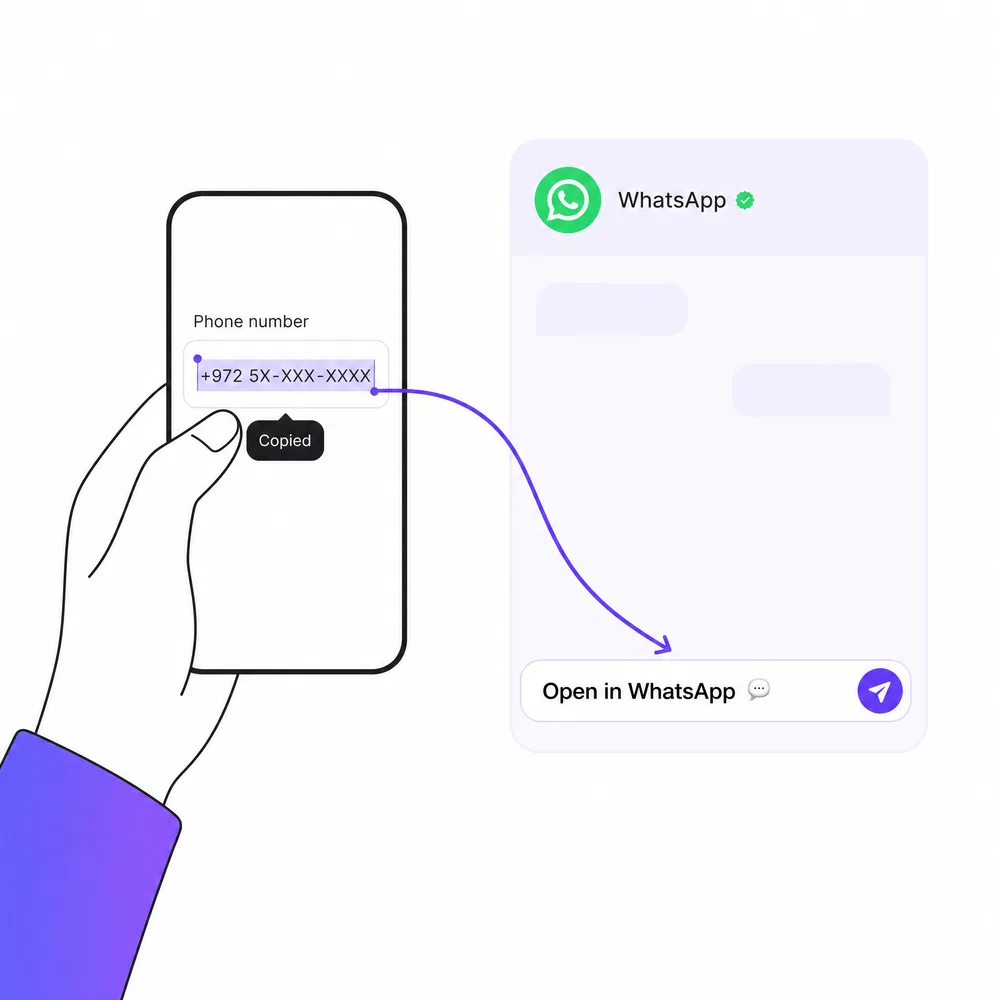
Copying a phone number and it opening WhatsApp automatically, one fluid action

The process

Four steps, without leaving the keyboard

The same process for every detection type โ€” only the final action differs.

01

Copy

Any text โ€” phone, tracking number, address, link, or just plain text.

02

Detect

The right detector wins (phone/tracking/address/link), and normalizes the value.

03

Popup opens

For phone โ€” a message template with a name. For the rest โ€” a ready action button.

04

Click, done

WhatsApp / Maps / tracking site / the link opens โ€” one click and that's it.

What's detected

Six built-in detectors, plus your own custom rules

All active by default in the desktop agent, each can be turned off individually. The browser extension currently detects phone numbers only. A copied number with a non-Israeli + country code now also opens WhatsApp instead of being ignored.

๐Ÿ“ž

Phone

050-1234567 โ†’ opens WhatsApp with a message template based on lead type.

โœ‰๏ธ

Email address

dana@example.com โ†’ opens a new message in your local mail app or Gmail in the browser.

๐Ÿ“ฆ

Tracking number

RR123456789IL (Israel Post/UPS/DHL/FedEx) โ†’ tracking with the carrier + fallback to 17track.

๐Ÿ—บ๏ธ

Address

12 Herzl St โ†’ a Google Maps button and a Waze button.

๐Ÿ”—

Single link

Only when the copied text is exclusively a link โ†’ opens in the default browser.

๐Ÿ“…

Date / time

A copied date โ†’ a ready shortcut to save it as a Google Calendar event.

โšก

Custom rules

Define your own regex pattern โ†’ URL template (e.g. an internal order number โ†’ your CRM's lookup page) in Settings โ–ธ "Custom rules" โ€” up to 30 rules, checked after the built-in detectors.

๐Ÿ’ก Even what isn't detected is saved. Every copy is logged to a local clipboard history (like Win+V) โ€” search, filter by category, and paste back with one click. See "Clipboard history" in the capabilities table below.

Two components

Same experience, two entry points

Install one component or both together โ€” they don't depend on each other.

๐Ÿงฉ

Chrome extension

For reps who work mainly from the browser
DetectsPhone only (for now)
TriggerClick the icon, or Alt+Shift+P
Best forWeb-based CRM, Gmail, social profiles
InstallLoad the folder in Chrome (Load unpacked)
No EXE file chrome.storage.sync
๐Ÿ–ฅ๏ธ

Desktop agent

When the number comes from anywhere else
DetectsPhone + email + tracking + address + link + your own custom rules (date/time is optional, off by default)
TriggerAutomatic (in the background), or Ctrl+Alt+P anytime
Best forExcel, documents, any desktop app
InstallA real Setup.exe file (NSIS), standard uninstall
System tray Recent actions quick-repeat Clipboard history (Win+V) Optional start with Windows

Capabilities

What's inside

๐Ÿ”

Number detection & normalization

Mobile and landline, with or without a dash, +972 or a leading zero โ€” output is always normalized to the format WhatsApp requires.

โœ๏ธ

Templates by lead type

5 default templates โ€” new lead, follow-up, reminder, and more โ€” fully editable, with a dynamic {name} token.

๐Ÿ”

Duplicate-send alert

"A message was already sent to this number 6 min ago" โ€” not blocking, just a reminder before an accidental double send.

๐Ÿ“‹

WhatsApp send history + CSV

Last 25 sends, local only. One-click export to Excel, in an encoding that supports Hebrew.

๐Ÿ•‘

Clipboard history (Win+V), on the agent

Every copy is logged โ€” not just what was detected. Search, filter by category, and paste back with one click. Open with Ctrl+Alt+V.

โŒจ๏ธ

Open manually, anytime

Even without a number on the clipboard โ€” a keyboard shortcut opens the popup with a manual entry field.

๐Ÿ”’

Everything local

No TapAct server. Detection and history stay on your computer. What goes out is the update check and the links you click (WhatsApp/Maps/Waze/tracking), plus optional lead channels and AI cleanup if you turn them on. Copies that Windows marks as sensitive (such as from a password manager) are skipped from history.

Changelog

What changed, and why

Full documentation in CHANGELOG.md. Here โ€” the summary.

v3.12.1 2026-10-06

No administrator prompt on launch, and secrets stay out of the popup

  • Normal user: TapAct no longer asks for administrator permission when it starts. The installer still asks once (it installs for all users), and an update asks once when it installs.
  • Start with Windows works: before, Windows skipped TapAct at sign-in because it required administrator rights. Now the setting does what it says.
  • Privacy: the phone popup no longer receives your AI key, webhook, Slack link or e-mail address, only which channels are on. Only the Settings window can read them.
  • Clear messages: lead sending errors appear in your language, and importing clipboard history now says how many items were imported, or that nothing was, or that the file could not be read.
  • Good to know: when the window in front is itself running as administrator, Windows may block TapAct's keyboard shortcuts and place the popup behind it.
v3.12.0 2026-10-06

Safer rules, smarter phone detection, an honest privacy page

  • Phone numbers: now understood in more forms: +972 (0)50 123 4567, 0044... and 00351..., numbers with en dashes, non-breaking spaces or right-to-left marks, and two numbers copied together. A bare 9-digit number counts only if it looks like a mobile number, and postal tracking numbers (RR...IL) are never taken for phones.
  • Better choices: "0521234567 Yossi Levi, Haifa" and "ืžืฉืœื•ื— 0521234567" open the phone popup instead of an address or DHL popup. Notes like "3 passports, Portugal" no longer look like an address.
  • Custom rules cannot freeze TapAct: a pattern is checked when you save it (invalid or very heavy ones are rejected with a clear message) and runs with a time limit.
  • Safer links: links from imported history or custom rules open only if they are http, https, mailto, tel or whatsapp links.
  • Settings: switching language updates the whole Settings window and the tray at once. An empty number field keeps the previous value and says so, out-of-range numbers are corrected with a message, and a 60 second duplicate wait can be chosen again.
  • Updates: TapAct also checks every 6 hours while it runs. "Restart now" restarts TapAct by itself.
  • Installer: the language you pick reaches the app on all-users installs, no "delete your data?" question during an update, and a fresh install offers to uninstall the older ActionClip (default: No).
  • Fixed: an edited message in the phone popup is what gets sent; WhatsApp with no number shows an error; a pending auto-run no longer closes a newer popup; "Call" opens a +972 number.
  • Privacy page: rewritten to list exactly what goes out (update check, links you click, optional lead channels and AI cleanup). Chrome extension 1.3.1 uses the same phone rules.
v3.11.0 2026-10-06

Choose where WhatsApp opens - WhatsApp Web by default

  • New setting: Settings ▸ General ▸ "Where WhatsApp opens" - WhatsApp Web in the browser (default), the WhatsApp desktop app, or the wa.me link. If you pick the desktop app and it is not installed, WhatsApp Web opens instead.
  • The default is now WhatsApp Web directly, without the intermediate wa.me page. It applies to the phone popup, the history quick action and the tray recent actions.
  • The Chrome extension (1.3.0) opens WhatsApp Web directly too.
v3.10.2 2026-10-06

The popup closes once WhatsApp is open

  • After you click WhatsApp in the phone popup it closes by itself half a second later, so you no longer have to close it with the chat already open. If you enabled several send channels it stays open so you can still use the others.
v3.10.1 2026-10-06

Follow-ups from an independent review

  • A bare 9-digit number starting with 0 that passes the Israeli ID check digit is no longer treated as a landline phone. Formatted numbers like 03-456-7891 still are.
  • The phone popup header showed the clip icon twice - fixed.
  • The clipboard is now checked every 250ms instead of 400ms, so quick successive copies are less likely to be missed in history.
v3.10.0 2026-10-06

A popup that interrupts only when it should

  • No Windows notification alongside the popup - the popup is enough.
  • Smart triggering: it opens when the copy is mainly a phone number, link, address or tracking number. A long text that happens to contain a number is only saved to history. Copies TapAct makes itself, or made inside a TapAct window, never pop. After several popups within 20 seconds it pauses for a minute.
  • Snooze: 15 minutes, 1 hour, until tomorrow 08:00, or stop showing that type. Visible in the tray and in Settings.
  • Closes by itself after 7 seconds with a thin countdown bar; stays open while the mouse is on it or you are typing.
  • Opens next to the cursor, where you copied, inside the right screen.
  • History and the action popup follow the light theme; one Save button in General settings; English default templates for English installs; {name} works like {ืฉื}; fixed a crash when a popup opened while another was open.
v3.9.0 2026-10-05

Full RTL, truthful Settings, new welcome guide

  • Hebrew is right-to-left in every window, including message templates and the values inside Settings.
  • A fresh install opens in the language of your Windows, with a rebuilt 5-step welcome guide.
  • Every Settings explanation was checked against what the code really does and corrected where it was wrong. 3.9.1 fixed contrast and history-row accessibility.
v3.8.3 - v3.8.5 2026-09-30 - 2026-10-05

Reliability

  • Fixed: clipboard detection could stop silently after a single error until you restarted the app (3.8.3).
  • The popup stays open while the mouse is on it, and shows just the number and the message by default (3.8.4).
  • Phone numbers must look Israeli, so ID or invoice numbers no longer open WhatsApp; automatic popups no longer steal keyboard focus (3.8.5).
v3.6.0 2026-09-26

Auto-install-updates toggle, honest update-install copy

  • New setting: Settings โ–ธ About โ–ธ Updates now has an "Automatically install updates in the background" checkbox โ€” previously this was always on with no way to turn it off.
  • Honest copy: the update-ready dialog no longer promises a fully silent install; it now says you may see one Windows permission prompt, matching what was actually verified against electron-updater's behavior.
v3.5.0 2026-09-25

Settings clarity pass, OS-locale language default

  • Added missing explanations for several Settings options that had no sub-text (tray-click action, poll interval, dedupe window, popup auto-close, display density).
  • Fixed: a fresh install now defaults the interface language to the Windows display language instead of always English.
v3.4.0 2026-09-25

Export Diagnostics (Settings โ–ธ About)

  • One button bundles the log file, version info, and a redacted settings snapshot into a .zip for support requests โ€” never includes clipboard content, message templates, or secrets.
v2.10.1 2026-09-24

Clipboard history tab is now real inline content, not a floating popup

  • Settings โ–ธ "Clipboard history" used to embed the standalone history popup as a small fixed-height overlay with its own duplicate header. It's now built directly into the tab, matching the rest of Settings and filling the available space.
v2.10.0 2026-09-23

Shared cross-product splash + installer branding

  • The splash screen and installer wizard now use the same dark/blue palette shared across this tool portfolio. The running app itself (main window, tray, popups, Settings) keeps TapAct's own indigo-purple brand โ€” unchanged.
v2.9.0 2026-09-23

Widget removed, redesigned copy popup, history moved into Settings

  • Desktop widget removed: the always-on-top status panel added in v2.7.4 is gone, along with its Settings toggle - based on feedback that it wasn't earning its place on the desktop. Tray icon + Settings cover the same ground.
  • Redesigned copy popup: the "something was detected" popup (tracking/address/link/email) is now a much smaller, quieter toast instead of a big card, and opens above the copied text instead of overlapping it.
  • Real bug fixed - two windows opening at once: double-clicking the tray icon on Windows fired both a single-click and a double-click event, which used to open the clipboard-history popup and the Settings window together. Double-clicking the tray (or reopening the app while it's minimized) now only ever opens Settings.
  • Clipboard history moved into Settings: the "clipboard-history" tab in Settings now shows the actual browsable, searchable history list in place, instead of just its settings. The quick-access popup (Win+V / Ctrl+Alt+V / tray menu) is unchanged for a fast glance-and-grab.
v2.8.1 2026-09-23

Full localization, uninstall data prompt

  • Full localization: the clipboard history panel and the generic action popup (tracking, address, link, email) now go through the app's existing i18n system and follow the UI language chosen in Settings, like every other window.
  • Uninstall prompt: the uninstaller now actually asks whether to also delete your settings, templates, clipboard history and send history. Default is "keep", so reinstalling doesn't silently lose your data.
  • Housekeeping: removed unused locale JSON files from the repo.
v2.8.0 2026-09-23

Monitoring sync, privacy-on-resume fix, High Contrast, RTL fix, uninstall cleanup

  • Real privacy bug fixed: whatever you copied while monitoring was paused still got logged to history the moment you resumed, because the first check after resuming read whatever was still sitting on the clipboard from the pause. Resuming now baselines the current clipboard first, before it starts logging again.
  • Pausing from the tray or the widget could be silently undone: saving any unrelated setting in the Settings window resent its own stale "on" state, turning monitoring back on even though it had been paused elsewhere.
  • Uninstall cleanup: the uninstaller never actually removed the registry keys or the firewall rule the installer created, so both were left behind on the machine even after a full uninstall.
  • Windows High Contrast / forced-colors support across every app window.
  • RTL fix: the Settings on/off switch knob escaped past its track's edge when the UI language was Hebrew.
  • The desktop widget now follows the UI language selected in Settings, including RTL layout.
v2.7.4 2026-09-22

Persistent desktop widget

  • A small, always-on-top desktop widget showing live monitoring status (active/paused), with one-click pause/resume and "open history" โ€” no need to open the tray menu.
v2.5.6 2026-09-18

Real automatic updates via electron-updater

  • electron-updater wired in: the agent checks GitHub Releases in the background a few seconds after launch, downloads any update automatically, and prompts "Restart Now / Later" once it's ready.
  • Fails silently offline or if GitHub is unreachable โ€” logged to the local log file, never blocks startup.
  • artifactName fixed to include the version number in the built installer's filename (was missing it before).
v2.5.0 2026-09-15

Custom action rules, international phone fallback, tray quick-repeat

  • Custom action rules: define your own regex pattern โ†’ URL template (Settings โ–ธ "Custom rules"), for cases the 5 built-in detectors don't cover โ€” e.g. an internal order number opening your CRM's lookup page. Up to 30 rules, only http(s):// templates are honored.
  • International phone fallback: a copied number with an explicit non-Israeli + country code now opens WhatsApp too, instead of being silently ignored. Israeli-number detection is unchanged.
  • Tray "Recent actions" submenu: the last 5 actionable copies, one click to re-fire the action without reopening the full history panel.
v2.0.0 2026-09-13

Renamed โ€” PingClip became TapAct, new visual identity

  • Full rebrand: code, installer files, icon (replacing the WhatsApp symbol, which no longer reflected a product with multiple destinations), and a new brand gradient โ€” indigo-purple instead of green-teal, across all four app windows and this page.
  • Past data (templates/settings/history) doesn't migrate automatically โ€” the local data file was renamed along with the product.
v1.4.1 2026-09-13 Root-cause fix

Desktop agent โ€” clipboard detection silently broken since 1.3.1

  • Root cause found: Electron 44 made clipboard.readText() Promise-based; the code called it as if synchronous, so every check actually got a Promise object instead of a string โ€” 1.3.1 "fixed" this in a way that stopped the crash, but made detection fail completely and silently.
  • Fixed with a real await on every clipboard call, and verified directly on the same Electron version + a real install on the machine.
v1.4.0 2026-09-13

Full clipboard history (Win+V) fix

  • New copy-history panel โ€” every copied text is logged, not just what was detected. Search, filter by category, paste back.
  • Fixed: Israel Post tracking numbers (9 digits) were being swallowed by landline phone detection since 1.3.0 โ€” detector check order is now reversed (general before phone).
v1.3.1 2026-09-11

Crash fix (partial โ€” the full diagnosis came only in 1.4.1)

  • Non-string input from the clipboard caused a repeating error dialog every 800ms. Stopped, but the root cause (the Promise API) was only correctly diagnosed later.
v1.3.0 2026-09-10

TapAct engine โ€” tracking, address, link

  • Three new detectors in the desktop agent, each with its own compact action popup. Settings โ–ธ "Detection types" to toggle each detector independently.
packaging 2026-09-07

Folder cleanup

  • Removed the combined Setup.exe that also installed the Chrome extension โ€” Chrome doesn't allow silent extension installs anyway, so the wizard wasn't saving a real step.
  • Cleaned up duplicates: an old installer version and an intermediate build folder of about 370MB.
v1.2.0 2026-09-07

Manual open, CSV export critical fix

  • Fixed: broken Hebrew encoding in the previous installer wizard โ€” WhatsApp text appeared as gibberish. Only caught by checking Unicode code points, not at compile time.
  • Manual popup open anytime (Ctrl+Alt+P / tray menu), with a manual number-entry field in the desktop agent.
  • Export send history to CSV, and the version number is shown in settings.
v1.1.0 2026-09-07

Modern design and quality improvements

  • Full redesign: gradient banner, cards, dark/light mode.
  • Duplicate-send alert, local history, auto-start with Windows.
  • First graphical installer for the desktop agent.
v1.0.0 2026-09-07

First release

  • Detection and normalization of Israeli phone numbers, 5 message templates by lead type.
  • Two independent launch components: Chrome extension and desktop agent.

Installation

Getting started

Choose one component or both โ€” each stands on its own. Full guide + troubleshooting: README.md.

๐Ÿงฉ Chrome extension

chrome-extension/
  1. In Chrome, open chrome://extensions
  2. Enable Developer mode (top right)
  3. Click Load unpacked, and select the folder
  4. Pin the TapAct icon to the toolbar

About 30 seconds, once per device. Updating: same steps, or click refresh on the extension card.

๐Ÿ–ฅ๏ธ Desktop agent

TapAct-Setup-3.12.1.exe โฌ‡ Download the installer
  1. Run the Setup file (it asks for administrator permission once - the agent installs for all users)
  2. Go through the standard Windows wizard steps
  3. The agent launches automatically as a normal user - icon in the system tray

Windows may show a SmartScreen warning for unsigned internal software โ€” click "More info" โ†’ "Run anyway". After this first install, future updates download and install themselves automatically โ€” see "Automatic updates" below.

Automatic updates

Stays current on its own

The desktop agent checks GitHub Releases for a newer build a few seconds after it starts and then about every 6 hours while it runs โ€” no manual re-download for routine updates.

๐Ÿ”„ Background check

A few seconds after launch, TapAct quietly checks for a newer release โ€” no delay to startup, no prompt if there's nothing new.

โฌ‡๏ธ Auto-download + confirm

If an update exists, it downloads in the background, then a small dialog offers "Restart Now" or "Later" โ€” pick Later and it installs automatically when you next quit TapAct (TapAct does not start again by itself after that).

๐Ÿ”Œ Fails quietly offline

No connection or GitHub unreachable? The check fails silently and is logged to the local log file โ€” the agent keeps working normally either way.

FAQ

Before you install

Is my data sent to the cloud?

There is no TapAct server, no account, no analytics and no telemetry, and detection and clipboard history stay on your computer. What does go out: the update check (to GitHub, at launch and about every 6 hours); the links you click (WhatsApp Web by default, or wa.me or the WhatsApp app, Maps, Waze, tracking pages), which carry the number, address or tracking number you acted on; and only if you turn them on, the lead channels (your own webhook, Slack or email) and the optional AI cleanup (Anthropic's API, with your own key). Full details: PRIVACY.md.

Do I need administrator rights?

Only to install. The desktop agent installs for all users under Program Files, so Windows asks for administrator permission once when you run Setup, and once more when an update installs. TapAct itself runs as a normal user: no prompt when it starts, and "Start with Windows" works. There is no per-user install. The Chrome extension needs no administrator rights, only Chrome's standard confirmation when loading an extension.

Where are templates and history stored?

Locally only: the agent stores data in %APPDATA%\TapAct; the extension stores data in chrome.storage (synced through your own Google account, not an TapAct account).

What happens if I close the agent window?

The agent keeps running in the background (system tray icon) to detect copies โ€” the X doesn't quit the app. To actually quit: right-click the tray icon โ†’ Exit.

ื›ืœื™ ืคื ื™ืžื™ ยท ืžื•ืงื“ ื”ืžื›ื™ืจื•ืช ืฉืœ ืคืกืคื•ืจื˜ื•ื’ื•

ืžืขืชื™ืงื™ื ืžืฉื”ื•.
ืžืงื‘ืœื™ื ืืช ื”ืคืขื•ืœื” ื”ื ื›ื•ื ื”.
ื–ื”ื•.

ืžืกืคืจ ื˜ืœืคื•ืŸ ืคื•ืชื— ืฉื™ื—ืช WhatsApp ืขื ื”ื•ื“ืขื” ืžื•ื›ื ื” ืœืคื™ ืกื•ื’ ื”ืœื™ื“. ืžืกืคืจ ืžืขืงื‘ ืžืฉืœื•ื— ืคื•ืชื— ืžืขืงื‘ ืืฆืœ ื”ื—ื‘ืจื” ื”ืžืฉืœื—ืช. ื›ืชื•ื‘ืช ืคื•ืชื—ืช ื ื™ื•ื•ื˜. ืงื™ืฉื•ืจ ื ืคืชื— ื‘ื“ืคื“ืคืŸ. ื•ื›ืœ ืžื” ืฉืžืขืชื™ืงื™ื - ื’ื ืื ืœื ื–ื•ื”ื” ื›ืœื•ื - ื ืฉืžืจ ื‘ื”ื™ืกื˜ื•ืจื™ื™ืช ื”ืขืชืงื•ืช ืžืงื•ืžื™ืช ืฉืืคืฉืจ ืœื—ืคืฉ ื•ืœื”ื“ื‘ื™ืง ื—ื–ืจื”, ื›ืžื• ื”-Win+V ื”ืžื•ื‘ื ื” ืฉืœ Windows.

ืงืœื™ืง ืื—ื“

ืžื”ืขืชืงืช ื”ืžืกืคืจ ื•ืขื“ ืฉื”ื•ื•ืื˜ืกืืค ื ืคืชื— ืขื ื”ื”ื•ื“ืขื” ืžื•ื›ื ื” ืœืฉืœื™ื—ื”

๐Ÿ“Ž TapAct
โœ“
ืžืกืคืจ ืฉื–ื•ื”ื”
050-1234567
ืฉื ื”ืœื™ื“ (ืื•ืคืฆื™ื•ื ืœื™)
ื“ื ื” ื›ื”ืŸ
ืชื‘ื ื™ืช ื”ื•ื“ืขื”
ืœื™ื“ ื—ื“ืฉ โŒ„
ื”ื™ื™ ื“ื ื”, ืžื“ื‘ืจ/ืช ืžืžื•ืงื“ ื”ืฉื™ืจื•ืช ๐Ÿ™‚
ืจืื™ืชื™ ืฉื”ืฉืืจืช ืคืจื˜ื™ื ืืฆืœื ื• ื•ืจืฆื™ืชื™ ืœื—ื–ื•ืจ ืืœื™ืš ืœื’ื‘ื™ ื”ื‘ืงืฉื” ืฉืœืšโ€ฆ
ืคืชื— ื‘ื•ื•ืื˜ืกืืค ๐Ÿ’ฌ

ื—ืœื•ื ื™ืช ื”ื˜ืœืคื•ืŸ ื”ืืžื™ืชื™ืช - ื”ื“ื•ื’ืžื” ื”ืขืฉื™ืจื” ื‘ื™ื•ืชืจ ืžื‘ื™ืŸ ืืจื‘ืขืช ื”ื’ืœืื™ื

ื”ืขืชืงืช ืžืกืคืจ ื˜ืœืคื•ืŸ ืฉืคื•ืชื—ืช ื•ื•ืื˜ืกืืค ืื•ื˜ื•ืžื˜ื™ืช, ืคืขื•ืœื” ืื—ืช ืจืฆื™ืคื”

ื”ืชื”ืœื™ืš

ืืจื‘ืขื” ืฉืœื‘ื™ื, ื‘ืœื™ ืœืขื–ื•ื‘ ืืช ื”ืžืงืœื“ืช

ืื•ืชื• ืชื”ืœื™ืš ื‘ื“ื™ื•ืง ืœื›ืœ ืกื•ื’ื™ ื”ื–ื™ื”ื•ื™ - ืจืง ื”ืคืขื•ืœื” ื‘ืกื•ืฃ ืฉื•ื ื”.

01

ืžืขืชื™ืงื™ื

ื›ืœ ื˜ืงืกื˜ - ื˜ืœืคื•ืŸ, ืžืกืคืจ ืžืขืงื‘, ื›ืชื•ื‘ืช, ืงื™ืฉื•ืจ, ืื• ืกืชื ื˜ืงืกื˜ ืจื’ื™ืœ.

02

ืžื–ื”ื™ื

ื”ื’ืœืื™ ื”ืžืชืื™ื ืžื ืฆื— (ื˜ืœืคื•ืŸ/ืžืขืงื‘/ื›ืชื•ื‘ืช/ืงื™ืฉื•ืจ), ื•ืžื ืจืžืœ ืืช ื”ืขืจืš.

03

ื ืคืชื—ืช ื—ืœื•ื ื™ืช

ืœื˜ืœืคื•ืŸ - ืชื‘ื ื™ืช ื”ื•ื“ืขื” ืขื ืฉื. ืœืฉืืจ - ื›ืคืชื•ืจ ืคืขื•ืœื” ืžื•ื›ืŸ.

04

ืœื•ื—ืฆื™ื, ื ื’ืžืจ

ื•ื•ืื˜ืกืืค / ืžืคื•ืช / ืืชืจ ืžืขืงื‘ / ื”ืงื™ืฉื•ืจ ื ืคืชื— - ืœื—ื™ืฆื” ืื—ืช ื•ื–ื”ื•.

ืžื” ืžื–ื”ื™ื

ืฉื™ืฉื” ื’ืœืื™ื ืžื•ื‘ื ื™ื, ื•ืขื•ื“ ื›ืœืœื™ื ืžืฉืœืš

ื›ื•ืœื ืคืขื™ืœื™ื ื›ื‘ืจื™ืจืช ืžื—ื“ืœ ื‘ืกื•ื›ืŸ ืฉื•ืœื—ืŸ ื”ืขื‘ื•ื“ื”, ื›ืœ ืื—ื“ ื ื™ืชืŸ ืœื›ื™ื‘ื•ื™ ื‘ื ืคืจื“. ื”ืชื•ืกืฃ ืœื“ืคื“ืคืŸ ืžื–ื”ื” ื˜ืœืคื•ืŸ ื‘ืœื‘ื“ ื›ืจื’ืข. ืžืกืคืจ ืฉื”ื•ืขืชืง ืขื ืงื™ื“ื•ืžืช + ื‘ื™ื ืœืื•ืžื™ืช ืฉืื™ื ื” ื™ืฉืจืืœื™ืช ืคื•ืชื— ื›ืขืช ื’ื ื”ื•ื WhatsApp, ื‘ืžืงื•ื ืœื”ืชืขืœื ืžืžื ื•.

๐Ÿ“ž

ื˜ืœืคื•ืŸ

050-1234567 โ†’ ืคืชื™ื—ืช WhatsApp ืขื ืชื‘ื ื™ืช ื”ื•ื“ืขื” ืœืคื™ ืกื•ื’ ืœื™ื“.

โœ‰๏ธ

ื›ืชื•ื‘ืช ืื™ืžื™ื™ืœ

dana@example.com โ†’ ืคืชื™ื—ืช ื”ื•ื“ืขื” ื—ื“ืฉื” ื‘ืืคืœื™ืงืฆื™ื™ืช ื”ืžื™ื™ืœ ื”ืžืงื•ืžื™ืช ืื• ื‘-Gmail ื‘ื“ืคื“ืคืŸ.

๐Ÿ“ฆ

ืžืกืคืจ ืžืขืงื‘

RR123456789IL (ื“ื•ืืจ ื™ืฉืจืืœ/UPS/DHL/FedEx) โ†’ ืžืขืงื‘ ืืฆืœ ื”ื—ื‘ืจื” + ื ืคื™ืœื” ืœ-17track.

๐Ÿ—บ๏ธ

ื›ืชื•ื‘ืช

ืจื—ื•ื‘ ื”ืจืฆืœ 12 โ†’ ื›ืคืชื•ืจ Google Maps ื•ื›ืคืชื•ืจ Waze.

๐Ÿ”—

ืงื™ืฉื•ืจ ื‘ื•ื“ื“

ืจืง ื›ืฉื”ื”ืขืชืงื” ื”ื™ื ืืš ื•ืจืง ืงื™ืฉื•ืจ โ†’ ืคืชื™ื—ื” ื‘ื“ืคื“ืคืŸ ื‘ืจื™ืจืช ื”ืžื—ื“ืœ.

๐Ÿ“…

ืชืืจื™ืš / ืฉืขื”

ืชืืจื™ืš ืฉื”ื•ืขืชืง โ†’ ืงื™ืฆื•ืจ ืžื•ื›ืŸ ืœืฉืžื™ืจื” ื›ืื™ืจื•ืข ื‘ื™ื•ืžืŸ Google.

โšก

ื›ืœืœื™ื ืžื•ืชืืžื™ื ืื™ืฉื™ืช

ื”ื’ื“ืจืช ืชื‘ื ื™ืช regex ืžืฉืœืš โ†’ ื›ืชื•ื‘ืช URL (ื”ื’ื“ืจื•ืช โ–ธ "ื›ืœืœื™ื ืžื•ืชืืžื™ื ืื™ืฉื™ืช") - ืขื“ 30 ื›ืœืœื™ื, ื ื‘ื“ืงื™ื ืื—ืจื™ ื”ื’ืœืื™ื ื”ืžื•ื‘ื ื™ื.

๐Ÿ’ก ื’ื ืžื” ืฉืœื ื–ื•ื”ื” ื ืฉืžืจ. ื›ืœ ื”ืขืชืงื” ืžืชื•ืขื“ืช ื‘ื”ื™ืกื˜ื•ืจื™ื™ืช ืœื•ื— ืžืงื•ืžื™ืช (ื›ืžื• Win+V) - ื—ื™ืคื•ืฉ, ืกื™ื ื•ืŸ ืœืคื™ ืงื˜ื’ื•ืจื™ื”, ื•ื”ื“ื‘ืงื” ื—ื•ื–ืจืช ื‘ืœื—ื™ืฆื”. ืจืื• "ื”ื™ืกื˜ื•ืจื™ื™ืช ืœื•ื—" ื‘ื˜ื‘ืœืช ื”ื™ื›ื•ืœื•ืช ืœืžื˜ื”.

ืฉื ื™ ืจื›ื™ื‘ื™ื

ืื•ืชื” ื—ื•ื•ื™ื”, ืฉืชื™ ื ืงื•ื“ื•ืช ื›ื ื™ืกื”

ืืคืฉืจ ืœื”ืชืงื™ืŸ ืจื›ื™ื‘ ืื—ื“ ืื• ืืช ืฉื ื™ื”ื ื™ื—ื“ - ื”ื ืœื ืชืœื•ื™ื™ื ื–ื” ื‘ื–ื”.

๐Ÿงฉ

ืชื•ืกืฃ Chrome

ืœื ืฆื™ื’ ืฉืขื•ื‘ื“ ื‘ืขื™ืงืจ ืžืชื•ืš ื”ื“ืคื“ืคืŸ
ืžื–ื”ื”ื˜ืœืคื•ืŸ ื‘ืœื‘ื“ (ื›ืจื’ืข)
ื˜ืจื™ื’ืจืœื—ื™ืฆื” ืขืœ ื”ืื™ื™ืงื•ืŸ, ืื• Alt+Shift+P
ืžืชืื™ื ืœCRM ืžื‘ื•ืกืก-ื•ื•ื‘, Gmail, ืคืจื•ืคื™ืœื™ื ื‘ืจืฉืชื•ืช
ื”ืชืงื ื”ื˜ืขื™ื ืช ื”ืชื™ืงื™ื™ื” ื‘-Chrome (Load unpacked)
ืœืœื ืงื•ื‘ืฅ EXE chrome.storage.sync
๐Ÿ–ฅ๏ธ

ืกื•ื›ืŸ ืฉื•ืœื—ืŸ ืขื‘ื•ื“ื”

ื›ืฉื”ืžืกืคืจ ืžื’ื™ืข ืžื›ืœ ืžืงื•ื ืื—ืจ
ืžื–ื”ื”ื˜ืœืคื•ืŸ + ืื™ืžื™ื™ืœ + ืžืขืงื‘ + ื›ืชื•ื‘ืช + ืงื™ืฉื•ืจ + ื›ืœืœื™ื ืžื•ืชืืžื™ื ืื™ืฉื™ืช (ืชืืจื™ืš/ืฉืขื” ืื•ืคืฆื™ื•ื ืœื™, ื›ื‘ื•ื™ ื›ื‘ืจื™ืจืช ืžื—ื“ืœ)
ื˜ืจื™ื’ืจืื•ื˜ื•ืžื˜ื™ (ื‘ืจืงืข), ืื• Ctrl+Alt+P ื‘ื›ืœ ืจื’ืข
ืžืชืื™ื ืœExcel, ืžืกืžื›ื™ื, ื›ืœ ืืคืœื™ืงืฆื™ื” ืฉื•ืœื—ื ื™ืช
ื”ืชืงื ื”ืงื•ื‘ืฅ Setup.exe ืืžื™ืชื™ (NSIS), ื”ืกืจื” ืจื’ื™ืœื”
ืžื’ืฉ ื”ืžืขืจื›ืช ืชืคืจื™ื˜ ืคืขื•ืœื•ืช ืื—ืจื•ื ื•ืช ื”ื™ืกื˜ื•ืจื™ื™ืช ืœื•ื— (Win+V) ื”ืคืขืœื” ืขื Windows (ืื•ืคืฆื™ื•ื ืœื™)

ื™ื›ื•ืœื•ืช

ืžื” ื™ืฉ ื‘ืคื ื™ื

๐Ÿ”

ื–ื™ื”ื•ื™ ื•ื ื™ืจืžื•ืœ ืžืกืคืจื™ื

ื ื™ื™ื“ ื•ืงื•ื•ื™, ืขื ืื• ื‘ืœื™ ืžืงืฃ, +972 ืื• ืืคืก ืžื•ื‘ื™ืœ - ื”ืคืœื˜ ืชืžื™ื“ ืžื ื•ืจืžืœ ืœืคื•ืจืžื˜ ืฉ-WhatsApp ื“ื•ืจืฉ.

โœ๏ธ

ืชื‘ื ื™ื•ืช ืœืคื™ ืกื•ื’ ืœื™ื“

5 ืชื‘ื ื™ื•ืช ื‘ืจื™ืจืช ืžื—ื“ืœ - ืœื™ื“ ื—ื“ืฉ, ืคื•ืœื•ืืค, ืชื–ื›ื•ืจืช ื•ืขื•ื“ - ืœื’ืžืจื™ ื ื™ืชื ื•ืช ืœืขืจื™ื›ื”, ืขื ื˜ื•ืงืŸ {ืฉื} ื“ื™ื ืžื™.

๐Ÿ”

ื”ืชืจืขืช ื›ืคื™ืœื•ืช ืฉืœื™ื—ื”

"ื›ื‘ืจ ื ืฉืœื—ื” ื”ื•ื“ืขื” ืœืžืกืคืจ ื”ื–ื” ืœืคื ื™ 6 ื“ืง'" - ืœื ื—ื•ืกื, ืจืง ืžื–ื›ื™ืจ ืœืคื ื™ ืฉืœื™ื—ื” ื›ืคื•ืœื” ื‘ื˜ืขื•ืช.

๐Ÿ“‹

ื”ื™ืกื˜ื•ืจื™ื™ืช ืฉืœื™ื—ื•ืช WhatsApp + CSV

25 ื”ืฉืœื™ื—ื•ืช ื”ืื—ืจื•ื ื•ืช, ืžืงื•ืžื™ ื‘ืœื‘ื“. ื™ื™ืฆื•ื ืœ-Excel ื‘ืœื—ื™ืฆื”, ื‘ืงื™ื“ื•ื“ ืฉืชื•ืžืš ื‘ืขื‘ืจื™ืช.

๐Ÿ•‘

ื”ื™ืกื˜ื•ืจื™ื™ืช ืœื•ื— (Win+V), ื‘ืกื•ื›ืŸ

ื›ืœ ื”ืขืชืงื” ื ืจืฉืžืช - ืœื ืจืง ืžื” ืฉื–ื•ื”ื”. ื—ื™ืคื•ืฉ, ืกื™ื ื•ืŸ ืœืคื™ ืงื˜ื’ื•ืจื™ื”, ื•ื”ื“ื‘ืงื” ื—ื•ื–ืจืช ื‘ืœื—ื™ืฆื”. ืคืชื™ื—ื” ืขื Ctrl+Alt+V.

โŒจ๏ธ

ืคืชื™ื—ื” ื™ื“ื ื™ืช ื‘ื›ืœ ืจื’ืข

ื’ื ื‘ืœื™ ืžืกืคืจ ื‘ืœื•ื— ื”ื”ืขืชืงื” - ืงื™ืฆื•ืจ ืžืงืœื“ืช ืคื•ืชื— ืืช ื”ื—ืœื•ื ื™ืช ืขื ืฉื“ื” ื”ื–ื ื” ื™ื“ื ื™.

๐Ÿ”’

ื”ื›ืœ ืžืงื•ืžื™

ืื™ืŸ ืฉืจืช ืฉืœ TapAct. ื”ื–ื™ื”ื•ื™ ื•ื”ื”ื™ืกื˜ื•ืจื™ื” ื ืฉืืจื™ื ื‘ืžื—ืฉื‘. ืžื” ืฉื™ื•ืฆื ื”ื•ื ื‘ื“ื™ืงืช ื”ืขื“ื›ื•ื ื™ื ื•ื”ืงื™ืฉื•ืจื™ื ืฉืœื•ื—ืฆื™ื ืขืœื™ื”ื (WhatsApp/Maps/Waze/ืžืขืงื‘), ื•ื‘ื ื•ืกืฃ ืขืจื•ืฆื™ ืœื™ื“ื™ื ื•ื ื™ืงื•ื™ AI ืื•ืคืฆื™ื•ื ืœื™ื™ื ืื ืžื“ืœื™ืงื™ื ืื•ืชื. ื”ืขืชืงื•ืช ืฉ-Windows ืžืกืžืŸ ื›ืจื’ื™ืฉื•ืช (ืœืžืฉืœ ืžืžื ื”ืœ ืกื™ืกืžืื•ืช) ืœื ื ืฉืžืจื•ืช ื‘ื”ื™ืกื˜ื•ืจื™ื”.

ื™ื•ืžืŸ ืฉื™ื ื•ื™ื™ื

ืžื” ื”ืฉืชื ื”, ื•ืœืžื”

ืชื™ืขื•ื“ ืžืœื ื‘-CHANGELOG.md. ื›ืืŸ - ื”ืชืžืฆื™ืช.

v3.12.1 2026-10-06

ื‘ืœื™ ื—ืœื•ืŸ ื”ืจืฉืืช ืžื ื”ืœ ื‘ื”ืคืขืœื”, ื•ื”ืกื•ื“ื•ืช ื ืฉืืจื™ื ืžื—ื•ืฅ ืœื—ืœื•ืŸ ื”ืงื•ืคืฅ

  • ืžืฉืชืžืฉ ืจื’ื™ืœ: TapAct ื›ื‘ืจ ืœื ืžื‘ืงืฉ ื”ืจืฉืืช ืžื ื”ืœ ื›ืฉื”ื•ื ื ืคืชื—. ื”ื”ืชืงื ื” ืขื“ื™ื™ืŸ ืžื‘ืงืฉืช ืคืขื ืื—ืช (ื”ื™ื ืžืชืงื™ื ื” ืœื›ืœ ื”ืžืฉืชืžืฉื™ื), ื•ืขื“ื›ื•ืŸ ืžื‘ืงืฉ ืคืขื ืื—ืช ื‘ื–ืžืŸ ื”ื”ืชืงื ื”.
  • ื”ืคืขืœื” ืขื Windows ืขื•ื‘ื“ืช: ืงื•ื“ื Windows ื“ื™ืœื’ ืขืœ TapAct ื‘ื›ื ื™ืกื” ื›ื™ ื”ื•ื ื“ืจืฉ ื”ืจืฉืื•ืช ืžื ื”ืœ. ืขื›ืฉื™ื• ื”ื”ื’ื“ืจื” ืขื•ืฉื” ืžื” ืฉื›ืชื•ื‘.
  • ืคืจื˜ื™ื•ืช: ื—ืœื•ืŸ ื”ื˜ืœืคื•ืŸ ื”ืงื•ืคืฅ ื›ื‘ืจ ืœื ืžืงื‘ืœ ืืช ืžืคืชื— ื”-AI, ื”-webhook, ืงื™ืฉื•ืจ ื”-Slack ืื• ื›ืชื•ื‘ืช ื”ืžื™ื™ืœ ืฉืœื›ื, ืจืง ืื™ืœื• ืขืจื•ืฆื™ื ืคืขื™ืœื™ื. ืจืง ื—ืœื•ืŸ ื”ื”ื’ื“ืจื•ืช ื™ื›ื•ืœ ืœืงืจื•ื ืื•ืชื.
  • ื”ื•ื“ืขื•ืช ื‘ืจื•ืจื•ืช: ืฉื’ื™ืื•ืช ืฉืœื™ื—ืช ืœื™ื“ื™ื ืžื•ืคื™ืขื•ืช ื‘ืฉืคื” ืฉืœื›ื, ื•ื™ื™ื‘ื•ื ื”ื™ืกื˜ื•ืจื™ื™ืช ืœื•ื— ืื•ืžืจ ืขื›ืฉื™ื• ื›ืžื” ืคืจื™ื˜ื™ื ื™ื•ื‘ืื•, ืฉืœื ื™ื•ื‘ื ื›ืœื•ื, ืื• ืฉืื™ ืืคืฉืจ ืœืงืจื•ื ืืช ื”ืงื•ื‘ืฅ.
  • ื˜ื•ื‘ ืœื“ืขืช: ื›ืฉื”ื—ืœื•ืŸ ื”ืงื“ืžื™ ืขืฆืžื• ืจืฅ ื›ืžื ื”ืœ, Windows ืขืœื•ืœ ืœื—ืกื•ื ืืช ืงื™ืฆื•ืจื™ ื”ืžืงืœื“ืช ืฉืœ TapAct ื•ืœืคืชื•ื— ืืช ื”ื—ืœื•ืŸ ื”ืงื•ืคืฅ ืžืื—ื•ืจื™ื•.
v3.12.0 2026-10-06

ื›ืœืœื™ื ื‘ื˜ื•ื—ื™ื ื™ื•ืชืจ, ื–ื™ื”ื•ื™ ื˜ืœืคื•ืŸ ื—ื›ื ื™ื•ืชืจ, ื•ื“ืฃ ืคืจื˜ื™ื•ืช ืžื“ื•ื™ืง

  • ืžืกืคืจื™ ื˜ืœืคื•ืŸ: ืžื•ื‘ื ื™ื ืขื›ืฉื™ื• ื‘ื™ื•ืชืจ ืฆื•ืจื•ืช: +972 (0)50 123 4567, 0044... ื•-00351..., ืžืกืคืจื™ื ืขื ืžืงืฃ ืืจื•ืš, ืจื•ื•ื— ื‘ืœืชื™ ืฉื‘ื•ืจ ืื• ืกื™ืžื ื™ ื›ื™ื•ื•ื ื™ื•ืช, ื•ืฉื ื™ ืžืกืคืจื™ื ืฉื”ื•ืขืชืงื• ื™ื—ื“. ืžืกืคืจ ื—ืฉื•ืฃ ื‘ืŸ 9 ืกืคืจื•ืช ื ื—ืฉื‘ ืจืง ืื ื”ื•ื ื ืจืื” ื›ืžื• ื ื™ื™ื“, ื•ืžืกืคืจื™ ืžืขืงื‘ ืฉืœ ื”ื“ื•ืืจ (RR...IL) ืœื ื ืชืคืกื™ื ื™ื•ืชืจ ื›ื˜ืœืคื•ืŸ.
  • ื‘ื—ื™ืจื” ื˜ื•ื‘ื” ื™ื•ืชืจ: "0521234567 Yossi Levi, Haifa" ื•"ืžืฉืœื•ื— 0521234567" ืคื•ืชื—ื™ื ืืช ื—ืœื•ืŸ ื”ื˜ืœืคื•ืŸ ื•ืœื ื—ืœื•ืŸ ื›ืชื•ื‘ืช ืื• DHL. ื”ืขืจื•ืช ื›ืžื• "3 passports, Portugal" ื›ื‘ืจ ืœื ื ืจืื•ืช ื›ื›ืชื•ื‘ืช.
  • ื›ืœืœื™ื ืžื•ืชืืžื™ื ืœื ื™ื›ื•ืœื™ื ืœื”ืงืคื™ื ืืช TapAct: ื”ื‘ื™ื˜ื•ื™ ื ื‘ื“ืง ื‘ืฉืžื™ืจื” (ื‘ื™ื˜ื•ื™ ืœื ืชืงื™ืŸ ืื• ื›ื‘ื“ ืžืื•ื“ ื ื“ื—ื” ืขื ื”ื•ื“ืขื” ื‘ืจื•ืจื”) ื•ืจืฅ ืขื ื”ื’ื‘ืœืช ื–ืžืŸ.
  • ืงื™ืฉื•ืจื™ื ื‘ื˜ื•ื—ื™ื ื™ื•ืชืจ: ืงื™ืฉื•ืจื™ื ืžื”ื™ืกื˜ื•ืจื™ื” ืฉื™ื•ื‘ืื” ืื• ืžื›ืœืœื™ื ืžื•ืชืืžื™ื ื ืคืชื—ื™ื ืจืง ืื ื”ื ืงื™ืฉื•ืจื™ http, https, mailto, tel ืื• whatsapp.
  • ื”ื’ื“ืจื•ืช: ื”ื—ืœืคืช ืฉืคื” ืžืขื“ื›ื ืช ืžื™ื“ ืืช ื›ืœ ื—ืœื•ืŸ ื”ื”ื’ื“ืจื•ืช ื•ืืช ื”ืžื’ืฉ. ืฉื“ื” ืžืกืคืจ ืจื™ืง ืฉื•ืžืจ ืืช ื”ืขืจืš ื”ืงื•ื“ื ื•ืื•ืžืจ ื–ืืช, ืžืกืคืจ ืžื—ื•ืฅ ืœื˜ื•ื•ื— ืžืชื•ืงืŸ ืขื ื”ื•ื“ืขื”, ื•ืืคืฉืจ ืฉื•ื‘ ืœื‘ื—ื•ืจ ื”ืžืชื ื” ืฉืœ 60 ืฉื ื™ื•ืช ื‘ื™ืŸ ื”ืชืจืื•ืช ื›ืคื•ืœื•ืช.
  • ืขื“ื›ื•ื ื™ื: TapAct ื‘ื•ื“ืง ืขื“ื›ื•ื ื™ื ื’ื ื›ืœ 6 ืฉืขื•ืช ื‘ื–ืžืŸ ืฉื”ื•ื ืจืฅ. "ื”ืคืขืœ ืžื—ื“ืฉ ืขื›ืฉื™ื•" ืžืคืขื™ืœ ืืช TapAct ืžื—ื“ืฉ ื‘ืขืฆืžื•.
  • ื”ืชืงื ื”: ื”ืฉืคื” ืฉื‘ื—ืจืชื ืžื’ื™ืขื” ืœืืคืœื™ืงืฆื™ื” ื’ื ื‘ื”ืชืงื ื” ืœื›ืœ ื”ืžืฉืชืžืฉื™ื, ืื™ืŸ ืฉืืœืช "ืœืžื—ื•ืง ืืช ื”ื ืชื•ื ื™ื?" ื‘ื–ืžืŸ ืขื“ื›ื•ืŸ, ื•ื”ืชืงื ื” ื—ื“ืฉื” ืžืฆื™ืขื” ืœื”ืกื™ืจ ืืช ActionClip ื”ื™ืฉืŸ (ื‘ืจื™ืจืช ื”ืžื—ื“ืœ: ืœื).
  • ืชื•ืงืŸ: ื”ื•ื“ืขื” ืฉืขืจื›ืชื ื‘ื—ืœื•ืŸ ื”ื˜ืœืคื•ืŸ ื”ื™ื ื–ื• ืฉื ืฉืœื—ืช; ื•ื•ืื˜ืกืืค ื‘ืœื™ ืžืกืคืจ ืžืฆื™ื’ ืฉื’ื™ืื”; ื”ืจืฆื” ืื•ื˜ื•ืžื˜ื™ืช ืžืžืชื™ื ื” ื›ื‘ืจ ืœื ืกื•ื’ืจืช ื—ืœื•ืŸ ื—ื“ืฉ ื™ื•ืชืจ; "ื—ื™ื•ื’" ืคื•ืชื— ืžืกืคืจ ืขื +972.
  • ื“ืฃ ื”ืคืจื˜ื™ื•ืช: ื ื›ืชื‘ ืžื—ื“ืฉ ื•ืžืคืจื˜ ื‘ื“ื™ื•ืง ืžื” ื™ื•ืฆื (ื‘ื“ื™ืงืช ืขื“ื›ื•ื ื™ื, ืงื™ืฉื•ืจื™ื ืฉืœื•ื—ืฆื™ื ืขืœื™ื”ื, ืขืจื•ืฆื™ ืœื™ื“ื™ื ื•ื ื™ืงื•ื™ AI ืื•ืคืฆื™ื•ื ืœื™ื™ื). ืชื•ืกืฃ Chrome 1.3.1 ืžืฉืชืžืฉ ื‘ืื•ืชื ื›ืœืœื™ ื˜ืœืคื•ืŸ.
v3.11.0 2026-10-06

ื‘ื•ื—ืจื™ื ืื™ืคื” ื ืคืชื— ื•ื•ืื˜ืกืืค - WhatsApp Web ื›ื‘ืจื™ืจืช ืžื—ื“ืœ

  • ื”ื’ื“ืจื” ื—ื“ืฉื”: ื”ื’ื“ืจื•ืช ▸ ื”ื’ื“ืจื•ืช ื›ืœืœื™ื•ืช ▸ "ืื™ืคื” ื ืคืชื— ื•ื•ืื˜ืกืืค" - WhatsApp Web ื‘ื“ืคื“ืคืŸ (ื‘ืจื™ืจืช ืžื—ื“ืœ), ืืคืœื™ืงืฆื™ื™ืช WhatsApp ืœืžื—ืฉื‘, ืื• ื”ืงื™ืฉื•ืจ wa.me. ืื ื‘ื—ืจืชื ื‘ืืคืœื™ืงืฆื™ื” ื•ื”ื™ื ืœื ืžื•ืชืงื ืช, ื™ื™ืคืชื— WhatsApp Web.
  • ื‘ืจื™ืจืช ื”ืžื—ื“ืœ ื”ื™ื ืขื›ืฉื™ื• WhatsApp Web ื™ืฉื™ืจื•ืช, ื‘ืœื™ ื“ืฃ ื”ื‘ื™ื ื™ื™ื ืฉืœ wa.me. ื–ื” ื—ืœ ืขืœ ื—ืœื•ืŸ ื”ื˜ืœืคื•ืŸ, ืขืœ ื”ืคืขื•ืœื” ื”ืžื”ื™ืจื” ื‘ื”ื™ืกื˜ื•ืจื™ื” ื•ืขืœ ื”ืคืขื•ืœื•ืช ื”ืื—ืจื•ื ื•ืช ื‘ืชืคืจื™ื˜ ื”ืžื’ืฉ.
  • ื’ื ืชื•ืกืฃ Chrome (ื’ืจืกื” 1.3.0) ืคื•ืชื— ืขื›ืฉื™ื• ื™ืฉื™ืจื•ืช ืืช WhatsApp Web.
v3.10.2 2026-10-06

ื”ื—ืœื•ืŸ ื ืกื’ืจ ื‘ืจื’ืข ืฉื•ื•ืื˜ืกืืค ื ืคืชื—

  • ืื—ืจื™ ืฉืœื•ื—ืฆื™ื ืขืœ ื•ื•ืื˜ืกืืค ื‘ื—ืœื•ืŸ ื”ื˜ืœืคื•ืŸ, ื”ื—ืœื•ืŸ ื ืกื’ืจ ืœื‘ื“ ื›ื—ืฆื™ ืฉื ื™ื™ื” ืื—ืจ ื›ืš, ื•ืื™ืŸ ืฆื•ืจืš ืœืกื’ื•ืจ ืื•ืชื• ื›ืฉื”ืฉื™ื—ื” ื›ื‘ืจ ืคืชื•ื—ื”. ืื ื”ืคืขืœืชื ื›ืžื” ืขืจื•ืฆื™ ืฉืœื™ื—ื”, ื”ื•ื ื ืฉืืจ ืคืชื•ื— ื›ื“ื™ ืฉืืคืฉืจ ื™ื”ื™ื” ืœื”ืฉืชืžืฉ ื’ื ื‘ื”ื.
v3.10.1 2026-10-06

ืชื™ืงื•ื ื™ ื”ืžืฉืš ืื—ืจื™ ื‘ื“ื™ืงื” ืขืฆืžืื™ืช

  • ืžืกืคืจ ื’ื•ืœืžื™ ืฉืœ 9 ืกืคืจื•ืช ืฉืžืชื—ื™ืœ ื‘-0 ื•ืขื•ื‘ืจ ืืช ืกืคืจืช ื”ื‘ื™ืงื•ืจืช ืฉืœ ืช.ื–. ื›ื‘ืจ ืœื ื ื—ืฉื‘ ืœื˜ืœืคื•ืŸ ืงื•ื•ื™. ืžืกืคืจื™ื ืขื ืžืงืฃ, ื›ืžื• 03-456-7891, ืขื“ื™ื™ืŸ ืžื–ื•ื”ื™ื.
  • ื‘ื›ื•ืชืจืช ื—ืœื•ืŸ ื”ื˜ืœืคื•ืŸ ื”ื•ืคื™ืข ืกืžืœ ื”ื ืขืฅ ืคืขืžื™ื™ื - ืชื•ืงืŸ.
  • ื”ืœื•ื— ื ื‘ื“ืง ืขื›ืฉื™ื• ื›ืœ 250 ืžื™ืœื™ืฉื ื™ื•ืช ื‘ืžืงื•ื 400, ื›ื“ื™ ืฉืคื—ื•ืช ื”ืขืชืงื•ืช ืžื”ื™ืจื•ืช ื™ืชืคืกืคืกื• ื‘ื”ื™ืกื˜ื•ืจื™ื”.
v3.10.0 2026-10-06

ื—ืœื•ืŸ ืฉืžืคืจื™ืข ืจืง ื›ืฉืฆืจื™ืš

  • ื‘ืœื™ ื”ืชืจืืช Windows ื‘ื ื•ืกืฃ ืœื—ืœื•ืŸ - ื”ื—ืœื•ืŸ ืžืกืคื™ืง.
  • ื”ืฆื’ื” ื—ื›ืžื”: ื”ื—ืœื•ืŸ ื ืคืชื— ื›ืฉื”ื”ืขืชืงื” ื”ื™ื ื‘ืขื™ืงืจ ืžืกืคืจ ื˜ืœืคื•ืŸ, ืงื™ืฉื•ืจ, ื›ืชื•ื‘ืช ืื• ืžืกืคืจ ืžืขืงื‘. ื˜ืงืกื˜ ืืจื•ืš ืฉื‘ืžืงืจื” ืžื›ื™ืœ ืžืกืคืจ ื ืฉืžืจ ืจืง ื‘ื”ื™ืกื˜ื•ืจื™ื”. ื”ืขืชืงื•ืช ืฉ-TapAct ืขื•ืฉื” ื‘ืขืฆืžื•, ืื• ื‘ืชื•ืš ื—ืœื•ืŸ ืฉืœ TapAct, ืœื ืคื•ืชื—ื•ืช ื—ืœื•ืŸ. ืื—ืจื™ ื›ืžื” ื—ืœื•ื ื•ืช ื‘-20 ืฉื ื™ื•ืช ื”ื•ื ื ืขืฆืจ ืœื“ืงื”.
  • ื”ืฉื”ื™ื”: 15 ื“ืงื•ืช, ืฉืขื”, ืขื“ ืžื—ืจ ื‘-08:00, ืื• "ืืœ ืชืฆื™ื’ ื™ื•ืชืจ ืืช ื”ืกื•ื’ ื”ื–ื”". ืžื•ืคื™ืข ื‘ืžื’ืฉ ื•ื‘ื”ื’ื“ืจื•ืช.
  • ื ืกื’ืจ ืœื‘ื“ ืื—ืจื™ 7 ืฉื ื™ื•ืช ืขื ืคืก ืกืคื™ืจื” ื“ืง, ื•ื ืฉืืจ ืคืชื•ื— ื›ืฉื”ืขื›ื‘ืจ ืขืœื™ื• ืื• ื›ืฉืžืงืœื™ื“ื™ื ื‘ื•.
  • ื ืคืชื— ืœื™ื“ ื”ืกืžืŸ, ืื™ืคื” ืฉื”ืขืชืงืชื, ื‘ืชื•ืš ื”ืžืกืš ื”ื ื›ื•ืŸ.
  • ื”ื”ื™ืกื˜ื•ืจื™ื” ื•ื—ืœื•ืŸ ื”ืคืขื•ืœื•ืช ืชื•ืžื›ื™ื ื‘ืขืจื›ืช ื ื•ืฉื ื‘ื”ื™ืจื”; ื›ืคืชื•ืจ ืฉืžื™ืจื” ืื—ื“ ื‘ื”ื’ื“ืจื•ืช ื›ืœืœื™ื•ืช; ืชื‘ื ื™ื•ืช ื‘ืจื™ืจืช ืžื—ื“ืœ ื‘ืื ื’ืœื™ืช ืœื”ืชืงื ื•ืช ื‘ืื ื’ืœื™ืช; {name} ืขื•ื‘ื“ ื›ืžื• {ืฉื}; ืชื•ืงื ื” ืงืจื™ืกื” ื›ืฉื—ืœื•ืŸ ื ืคืชื— ื‘ื–ืžืŸ ืฉื—ืœื•ืŸ ืื—ืจ ืคืชื•ื—.
v3.9.0 2026-10-05

RTL ืžืœื, ื”ื’ื“ืจื•ืช ืžื“ื•ื™ืงื•ืช, ืžื“ืจื™ืš ืคืชื™ื—ื” ื—ื“ืฉ

  • ื”ืขื‘ืจื™ืช ืžื™ืžื™ืŸ ืœืฉืžืืœ ื‘ื›ืœ ื”ื—ืœื•ื ื•ืช, ื›ื•ืœืœ ืชื‘ื ื™ื•ืช ื”ื•ื“ืขื” ื•ื”ืขืจื›ื™ื ื‘ืชื•ืš ื”ื”ื’ื“ืจื•ืช.
  • ื”ืชืงื ื” ื—ื“ืฉื” ื ืคืชื—ืช ื‘ืฉืคืช ื”-Windows ืฉืœื›ื, ืขื ืžื“ืจื™ืš ืคืชื™ื—ื” ื—ื“ืฉ ื‘ื—ืžื™ืฉื” ืฉืœื‘ื™ื.
  • ื›ืœ ื”ืกื‘ืจ ื‘ื”ื’ื“ืจื•ืช ื ื‘ื“ืง ืžื•ืœ ืžื” ืฉื”ืงื•ื“ ืขื•ืฉื” ื‘ืืžืช ื•ืชื•ืงืŸ ืื™ืคื” ืฉื”ื™ื” ืฉื’ื•ื™. ื’ืจืกื” 3.9.1 ืชื™ืงื ื” ื ื™ื’ื•ื“ื™ื•ืช ื•ื ื’ื™ืฉื•ืช ืฉืœ ืฉื•ืจื•ืช ื”ื”ื™ืกื˜ื•ืจื™ื”.
v3.8.3 - v3.8.5 2026-09-30 - 2026-10-05

ืืžื™ื ื•ืช

  • ืชื•ืงืŸ: ื–ื™ื”ื•ื™ ื”ื”ืขืชืงื•ืช ื™ื›ื•ืœ ื”ื™ื” ืœื”ืคืกื™ืง ื‘ืฉืงื˜ ืื—ืจื™ ืฉื’ื™ืื” ืื—ืช, ืขื“ ื”ืคืขืœื” ืžื—ื“ืฉ ืฉืœ ื”ืืคืœื™ืงืฆื™ื” (3.8.3).
  • ื”ื—ืœื•ืŸ ื ืฉืืจ ืคืชื•ื— ื›ืฉื”ืขื›ื‘ืจ ืขืœื™ื•, ื•ืžืฆื™ื’ ื›ื‘ืจื™ืจืช ืžื—ื“ืœ ืจืง ืืช ื”ืžืกืคืจ ื•ืืช ื”ื”ื•ื“ืขื” (3.8.4).
  • ืžืกืคืจ ื˜ืœืคื•ืŸ ื—ื™ื™ื‘ ืœื”ื™ืจืื•ืช ื™ืฉืจืืœื™, ื›ืš ืฉืช.ื–. ืื• ืžืกืคืจ ื—ืฉื‘ื•ื ื™ืช ืœื ืคื•ืชื—ื™ื ื•ื•ืื˜ืกืืค; ื—ืœื•ื ื•ืช ืื•ื˜ื•ืžื˜ื™ื™ื ืœื ื’ื•ื–ืœื™ื ืืช ื”ืžืงืœื“ืช (3.8.5).
v3.6.0 2026-09-26

ืžืชื’ ืœื”ืชืงื ื” ืื•ื˜ื•ืžื˜ื™ืช ืฉืœ ืขื“ื›ื•ื ื™ื, ื ื™ืกื•ื— ื›ืŸ ื™ื•ืชืจ ืขืœ ื”ื”ืชืงื ื”

  • ื”ื’ื“ืจื” ื—ื“ืฉื”: ื”ื’ื“ืจื•ืช โ–ธ ืื•ื“ื•ืช โ–ธ ืขื“ื›ื•ื ื™ื ื›ื•ืœืœืช ืขื›ืฉื™ื• ืชื™ื‘ืช ืกื™ืžื•ืŸ "ื”ืชืงืŸ ืขื“ื›ื•ื ื™ื ืื•ื˜ื•ืžื˜ื™ืช ื‘ืจืงืข" - ืงื•ื“ื ื–ื” ืชืžื™ื“ ื”ื™ื” ืคืขื™ืœ ื‘ืœื™ ืืคืฉืจื•ืช ืœื›ื‘ื•ืช.
  • ื ื™ืกื•ื— ื›ืŸ: ื—ืœื•ื ื™ืช ื”ืขื“ื›ื•ืŸ ื”ืžื•ื›ืŸ ื›ื‘ืจ ืœื ืžื‘ื˜ื™ื—ื” ื”ืชืงื ื” ืฉืงื˜ื” ืœื’ืžืจื™; ื”ื™ื ืžืฆื™ื™ื ืช ืฉื™ื™ืชื›ืŸ ื—ืœื•ืŸ ื”ืจืฉืื” ืื—ื“ ืฉืœ Windows, ื‘ื”ืชืื ืœืžื” ืฉืื•ืžืช ื‘ืคื•ืขืœ ืžื•ืœ ื”ื”ืชื ื”ื’ื•ืช ืฉืœ electron-updater.
v3.5.0 2026-09-25

ืฉื™ืคื•ืจ ื‘ื”ื™ืจื•ืช ื”ื”ื’ื“ืจื•ืช, ืฉืคืช ืžืžืฉืง ืœืคื™ ืฉืคืช Windows

  • ื ื•ืกืคื• ื”ืกื‘ืจื™ื ื—ืกืจื™ื ืœื›ืžื” ืืคืฉืจื•ื™ื•ืช ื‘ื”ื’ื“ืจื•ืช ืฉืœื ื”ื™ื” ืœื”ืŸ ื˜ืงืกื˜ ื”ื‘ื”ืจื” (ืคืขื•ืœืช ืœื—ื™ืฆื” ื‘ืžื’ืฉ, ืชื“ื™ืจื•ืช ื‘ื“ื™ืงื”, ื—ืœื•ืŸ ืžื ื™ืขืช ื›ืคื™ืœื•ืช, ืกื’ื™ืจื” ืื•ื˜ื•ืžื˜ื™ืช ืฉืœ ื”ื—ืœื•ื ื™ืช, ืฆืคื™ืคื•ืช ืชืฆื•ื’ื”).
  • ืชื•ืงืŸ: ื”ืชืงื ื” ื—ื“ืฉื” ื›ื‘ืจื™ืจืช ืžื—ื“ืœ ืžืฆื™ื’ื” ืืช ื”ืžืžืฉืง ื‘ืฉืคืช ื”ืชืฆื•ื’ื” ืฉืœ Windows, ื‘ืžืงื•ื ืชืžื™ื“ ื‘ืื ื’ืœื™ืช.
v3.4.0 2026-09-25

ื™ื™ืฆื•ื ืื‘ื—ื•ืŸ (ื”ื’ื“ืจื•ืช โ–ธ ืื•ื“ื•ืช)

  • ื›ืคืชื•ืจ ืื—ื“ ืื•ืจื– ืืช ืงื•ื‘ืฅ ื”ืœื•ื’, ืคืจื˜ื™ ื”ื’ืจืกื”, ื•ืชืžื•ื ืช ืžืฆื‘ ืžืฆื•ื ื–ืจืช ืฉืœ ื”ื”ื’ื“ืจื•ืช ืœืงื•ื‘ืฅ zip ืื—ื“ ืœืคื ื™ื™ืช ืชืžื™ื›ื” - ืœืขื•ืœื ืœื ื›ื•ืœืœ ืชื•ื›ืŸ ืฉื”ื•ืขืชืง, ืชื‘ื ื™ื•ืช ื”ื•ื“ืขื” ืื• ืกื•ื“ื•ืช.
v2.10.1 2026-09-24

ื”ื™ืกื˜ื•ืจื™ื™ืช ืœื•ื— ื‘ื”ื’ื“ืจื•ืช ื”ื™ื ืขื›ืฉื™ื• ืชื•ื›ืŸ ืืžื™ืชื™ ื‘ืชื•ืš ื”ื“ืฃ, ืœื ื—ืœื•ื ื™ืช ืฆืคื”

  • ื”ืœืฉื•ื ื™ืช "ื”ื™ืกื˜ื•ืจื™ื™ืช ืœื•ื—" ื‘ื”ื’ื“ืจื•ืช ื”ื˜ืžื™ืขื” ื‘ืขื‘ืจ ืืช ื—ืœื•ื ื™ืช ื”ื”ื™ืกื˜ื•ืจื™ื” ื”ืขืฆืžืื™ืช ื›ืฉื›ื‘ื” ืงื˜ื ื” ื‘ื’ื•ื‘ื” ืงื‘ื•ืข, ืขื ื›ื•ืชืจืช ื›ืคื•ืœื” ืžืฉืœื”. ืขื›ืฉื™ื• ื”ื™ื ื‘ื ื•ื™ื” ื™ืฉื™ืจื•ืช ื‘ืชื•ืš ื”ืœืฉื•ื ื™ืช, ืชื•ืืžืช ืœืฉืืจ ื”ื”ื’ื“ืจื•ืช ื•ืžืžืœืืช ืืช ื”ืฉื˜ื— ื”ืคื ื•ื™.
v2.10.0 2026-09-23

ืžืกืš ืคืชื™ื—ื” ื•ืžื™ืชื•ื’ ื”ืชืงื ื” ืžืฉื•ืชืคื™ื ืœื›ืœ ื”ื›ืœื™ื

  • ืžืกืš ื”ืคืชื™ื—ื” ื•ืืฉืฃ ื”ื”ืชืงื ื” ืขื‘ืจื• ืœืคืœื˜ืช ื”ืฆื‘ืขื™ื ื”ื›ื”ื”-ื›ื—ื•ืœื” ื”ืžืฉื•ืชืคืช ืœื›ืœ ื”ื›ืœื™ื ื‘ืกื“ืจื” ื”ื–ื•. ื”ืืคืœื™ืงืฆื™ื” ืขืฆืžื” ื‘ื–ืžืŸ ืจื™ืฆื” (ื—ืœื•ืŸ ืจืืฉื™, ืžื’ืฉ, ื—ืœื•ื ื™ื•ืช, ื”ื’ื“ืจื•ืช) ืฉื•ืžืจืช ืขืœ ื”ืžื™ืชื•ื’ ื”ืื™ื ื“ื™ื’ื•-ืกื’ื•ืœ ืฉืœ TapAct - ืœืœื ืฉื™ื ื•ื™.
v2.9.0 2026-09-23

ื”ืกืจืช ื”ื•ื•ื™ื“ื’'ื˜, ืขื™ืฆื•ื‘ ืžื—ื“ืฉ ืœื—ืœื•ื ื™ืช ื”ื”ืขืชืงื”, ื”ื™ืกื˜ื•ืจื™ื” ื‘ืชื•ืš ื”ื”ื’ื“ืจื•ืช

  • ื”ื•ื•ื™ื“ื’'ื˜ ื”ื•ืกืจ: ื”ื—ืœื•ื ื™ืช ื”ืงื‘ื•ืขื” ืฉื”ื™ื™ืชื” ืชืžื™ื“ ืขืœ ืฉื•ืœื—ืŸ ื”ืขื‘ื•ื“ื” (ื ื•ืกืคื” ื‘ื’ืจืกื” v2.7.4) ื”ื•ืกืจื” ืœื’ืžืจื™, ื›ื•ืœืœ ื”ืžืชื’ ืฉืœื” ื‘ื”ื’ื“ืจื•ืช - ื‘ืขืงื‘ื•ืช ืคื™ื“ื‘ืง ืฉื”ื™ื ืœื ื”ืฆื“ื™ืงื” ืืช ืžืงื•ืžื” ืฉื. ืื™ื™ืงื•ืŸ ื”ืžื’ืฉ ื•ื”ื”ื’ื“ืจื•ืช ืžื›ืกื™ื ืืช ืื•ืชื• ืชืคืงื™ื“.
  • ืขื™ืฆื•ื‘ ืžื—ื“ืฉ ืœื—ืœื•ื ื™ืช ื”ื”ืขืชืงื”: ื”ื—ืœื•ื ื™ืช ื”ืงื•ืคืฆืช ืฉืžื–ื”ื” ืžืขืงื‘/ื›ืชื•ื‘ืช/ืงื™ืฉื•ืจ/ืื™ืžื™ื™ืœ ืงื˜ื ื” ื•ืฉืงื˜ื” ื”ืจื‘ื” ื™ื•ืชืจ ืขื›ืฉื™ื• - ื›ืžื• ื”ื•ื“ืขืช ื˜ื•ืกื˜, ืœื ื›ืจื˜ื™ืก ื’ื“ื•ืœ - ื•ื ืคืชื—ืช ืžืขืœ ื”ื˜ืงืกื˜ ืฉื”ื•ืขืชืง, ื‘ืžืงื•ื ืขืœื™ื•.
  • ื‘ืื’ ืืžื™ืชื™ ืชื•ืงืŸ - ืฉื ื™ ื—ืœื•ื ื•ืช ื ืคืชื—ื™ื ื‘ื™ื—ื“: ืœื—ื™ืฆื” ื›ืคื•ืœื” ืขืœ ืื™ื™ืงื•ืŸ ื”ืžื’ืฉ ื‘-Windows ื”ืคืขื™ืœื” ื’ื ืงืœื™ืง ื‘ื•ื“ื“ ื•ื’ื ืงืœื™ืง ื›ืคื•ืœ, ืžื” ืฉืคืชื— ืืช ื—ืœื•ื ื™ืช ื”ื”ื™ืกื˜ื•ืจื™ื” ื•ืืช ื—ืœื•ืŸ ื”ื”ื’ื“ืจื•ืช ื‘ื•-ื–ืžื ื™ืช. ืขื›ืฉื™ื• ืœื—ื™ืฆื” ื›ืคื•ืœื” ืขืœ ื”ืžื’ืฉ (ืื• ืคืชื™ื—ืช ื”ืืคืœื™ืงืฆื™ื” ืžื—ื“ืฉ ื›ืฉื”ื™ื ืžืžื•ื–ืขืจืช) ืคื•ืชื—ืช ืจืง ืืช ื”ื”ื’ื“ืจื•ืช.
  • ื”ื™ืกื˜ื•ืจื™ื™ืช ื”ื”ืขืชืงื•ืช ืขื‘ืจื” ืœื”ื’ื“ืจื•ืช: ื”ืœืฉื•ื ื™ืช "ื”ื™ืกื˜ื•ืจื™ื™ืช ืœื•ื—" ื‘ื”ื’ื“ืจื•ืช ืžืฆื™ื’ื” ืขื›ืฉื™ื• ืืช ืจืฉื™ืžืช ื”ื”ื™ืกื˜ื•ืจื™ื” ืขืฆืžื”, ืœื ืจืง ืืช ื”ื”ื’ื“ืจื•ืช ืฉืœื”. ื—ืœื•ื ื™ืช ื”ื’ื™ืฉื” ื”ืžื”ื™ืจื” (Win+V / Ctrl+Alt+V / ืชืคืจื™ื˜ ื”ืžื’ืฉ) ื ืฉืืจื” ื‘ื“ื™ื•ืง ื›ืžื• ืฉื”ื™ื™ืชื”, ืœืžื‘ื˜ ืžื”ื™ืจ.
v2.8.1 2026-09-23

ื”ืฉืœืžืช ืชืจื’ื•ื, ืฉืืœืช ืžื—ื™ืงืช ื ืชื•ื ื™ื ื‘ื”ืกืจืช ื”ืชืงื ื”

  • ืชืจื’ื•ื ืžืœื: ื—ืœื•ืŸ ื”ื™ืกื˜ื•ืจื™ื™ืช ื”ื”ืขืชืงื•ืช ื•ื—ืœื•ืŸ ื—ืœื•ื ื™ืช ื”ืคืขื•ืœื” ื”ื›ืœืœื™ืช (ืžืขืงื‘, ื›ืชื•ื‘ืช, ืงื™ืฉื•ืจ, ืื™ืžื™ื™ืœ) ืขื‘ืจื• ืœืžื ื’ื ื•ืŸ ื”-i18n ื”ืงื™ื™ื, ื•ืขื•ืงื‘ื™ื ืขื›ืฉื™ื• ืื—ืจื™ ืฉืคืช ื”ืžืžืฉืง ืฉื ื‘ื—ืจื” ื‘ื”ื’ื“ืจื•ืช, ื‘ื“ื™ื•ืง ื›ืžื• ื›ืœ ืฉืืจ ื—ืœื•ื ื•ืช ื”ืืคืœื™ืงืฆื™ื”.
  • ื”ืกืจืช ื”ืชืงื ื”: ื ื•ืกืคื” ืฉืืœื” ืืžื™ืชื™ืช ื‘ื–ืžืŸ ื”ื”ืกืจื”, ื”ืื ืœืžื—ื•ืง ื’ื ืืช ื”ื”ื’ื“ืจื•ืช, ื”ืชื‘ื ื™ื•ืช ื•ื”ื™ืกื˜ื•ืจื™ื™ืช ื”ื”ืขืชืงื•ืช ื•ื”ืฉืœื™ื—ื•ืช. ื‘ืจื™ืจืช ื”ืžื—ื“ืœ ื”ื™ื ืœื ืœืžื—ื•ืง, ื›ื“ื™ ืฉืืคืฉืจ ื™ื”ื™ื” ืœื”ืชืงื™ืŸ ืžื—ื“ืฉ ื‘ืœื™ ืœืื‘ื“ ื ืชื•ื ื™ื ื‘ื˜ืขื•ืช.
  • ื ื™ืงื•ื™ ืงื•ื“: ืงื•ื‘ืฆื™ locales ืฉืœื ื”ื™ื• ื‘ืฉื™ืžื•ืฉ ื”ื•ืกืจื• ืžื”ืจื™ืคื•.
v2.8.0 2026-09-23

ืกื ื›ืจื•ืŸ ื ื™ื˜ื•ืจ, ืชื™ืงื•ืŸ ืคืจื˜ื™ื•ืช ื‘ื—ื–ืจื” ืžื”ืฉื”ื™ื”, ื ื™ื’ื•ื“ื™ื•ืช ื’ื‘ื•ื”ื”, ืชื™ืงื•ืŸ RTL, ื ื™ืงื•ื™ ื”ืกืจืช ื”ืชืงื ื”

  • ื‘ืื’ ืคืจื˜ื™ื•ืช ืืžื™ืชื™: ื”ืขืชืงื” ื‘ื–ืžืŸ ืฉื”ื ื™ื˜ื•ืจ ืžื•ืฉื”ื” ื ืจืฉืžื” ื‘ื›ืœ ื–ืืช ืœื”ื™ืกื˜ื•ืจื™ื” ืขื ื—ื™ื“ื•ืฉ ื”ื ื™ื˜ื•ืจ, ื›ื™ ื”ื‘ื“ื™ืงื” ื”ืจืืฉื•ื ื” ืื—ืจื™ ื”ื—ื™ื“ื•ืฉ ืงืจืื” ืืช ืžื” ืฉื”ื™ื” ื‘ืœื•ื— ืžื–ืžืŸ ื”ื”ืฉื”ื™ื”. ืขื›ืฉื™ื• ื—ื™ื“ื•ืฉ ื ื™ื˜ื•ืจ ืžืืคืก ืืช ืžืฆื‘ ื”ืœื•ื— ื”ื ื•ื›ื—ื™, ืœืคื ื™ ืฉืžืžืฉื™ื›ื™ื ืœืขืงื•ื‘.
  • ื”ืฉื”ื™ื™ืช ื ื™ื˜ื•ืจ ืžื”ืžื’ืฉ ืื• ืžื”ื•ื•ื™ื“ื’'ื˜ ื”ื™ื™ืชื” ื™ื›ื•ืœื” ืœื”ืชื‘ื˜ืœ ื‘ื˜ืขื•ืช: ืฉืžื™ืจืช ื”ื’ื“ืจื” ื›ืœืœื™ืช ื‘ื—ืœื•ืŸ ื”ื”ื’ื“ืจื•ืช ืฉืœื—ื” ืžื—ื“ืฉ ืืช ืžืฆื‘ ื”"ืคืขื™ืœ" ื”ื™ืฉืŸ ืฉืœื”, ื’ื ืื ื”ื ื™ื˜ื•ืจ ื”ื•ืฉื”ื” ื‘ื™ื ืชื™ื™ื ืžืžืงื•ื ืื—ืจ.
  • ื ื™ืงื•ื™ ื”ืกืจืช ื”ืชืงื ื”: ื”-uninstaller ืœื ื ื™ืงื” ื‘ืคื•ืขืœ ืืช ืžืคืชื—ื•ืช ื”ืจื™ืฉื•ื ื•ืืช ื›ืœืœ ื—ื•ืžืช ื”ืืฉ ืฉื”ื”ืชืงื ื” ื™ืฆืจื”, ื•ื ืฉืืจื• ืฉืืจื™ื•ืช ื‘ืžื—ืฉื‘ ื’ื ืื—ืจื™ ื”ืกืจื” ืžืœืื”.
  • ืชืžื™ื›ื” ื‘ืžืฆื‘ ื ื™ื’ื•ื“ื™ื•ืช ื’ื‘ื•ื”ื” (High Contrast) ืฉืœ Windows ื‘ื›ืœ ื—ืœื•ื ื•ืช ื”ืืคืœื™ืงืฆื™ื”.
  • ืชื™ืงื•ืŸ RTL: ืžืชื’ ื”ื”ืคืขืœื” ื‘ื”ื’ื“ืจื•ืช ื”ื™ื” ื‘ื•ืจื— ืžื—ื•ืฅ ืœื’ื‘ื•ืœ ื”ืžืกื’ืจืช ืฉืœื• ื›ืฉืฉืคืช ื”ืžืžืฉืง ืขื‘ืจื™ืช.
  • ื”ื•ื•ื™ื“ื’'ื˜ ืขืœ ืฉื•ืœื—ืŸ ื”ืขื‘ื•ื“ื” ืขื•ืงื‘ ืขื›ืฉื™ื• ืื—ืจื™ ืฉืคืช ื”ืžืžืฉืง ืฉื ื‘ื—ืจื” ื‘ื”ื’ื“ืจื•ืช, ื›ื•ืœืœ ื›ื™ื•ื•ืŸ RTL.
v2.7.4 2026-09-22

ื•ื•ื™ื“ื’'ื˜ ืงื‘ื•ืข ืœืฉื•ืœื—ืŸ ื”ืขื‘ื•ื“ื”

  • ื ื•ืกืฃ ื•ื•ื™ื“ื’'ื˜ ืงื˜ืŸ, ืฆืฃ ื•ืชืžื™ื“ ืœืžืขืœื”, ืฉืžืฆื™ื’ ื‘ื–ืžืŸ ืืžืช ืื ื”ื ื™ื˜ื•ืจ ืคืขื™ืœ ืื• ืžื•ืฉื”ื”, ื•ืžืืคืฉืจ ื”ืฉื”ื™ื”/ื”ืžืฉืš ื•ืคืชื™ื—ืช ื”ื™ืกื˜ื•ืจื™ื” ื‘ืœื—ื™ืฆื” ืื—ืช - ื‘ืœื™ ืœืคืชื•ื— ืืช ืชืคืจื™ื˜ ื”ืžื’ืฉ.
v2.5.6 2026-09-18

ืขื“ื›ื•ื ื™ื ืื•ื˜ื•ืžื˜ื™ื™ื ืืžื™ืชื™ื™ื ื“ืจืš electron-updater

  • electron-updater ืžื—ื•ื‘ืจ: ื”ืกื•ื›ืŸ ื‘ื•ื“ืง ื‘-GitHub Releases ื‘ืจืงืข ื›ืžื” ืฉื ื™ื•ืช ืื—ืจื™ ื”ื”ืคืขืœื”, ืžื•ืจื™ื“ ืขื“ื›ื•ืŸ ืื•ื˜ื•ืžื˜ื™ืช, ื•ืžืฆื™ืข "ื”ืชืงืŸ ืขื›ืฉื™ื• / ืžืื•ื—ืจ ื™ื•ืชืจ" ื›ืฉื”ื•ื ืžื•ื›ืŸ.
  • ื ื›ืฉืœ ื‘ืฉืงื˜ ืื ืื™ืŸ ืจืฉืช ืื• ืฉ-GitHub ืœื ื–ืžื™ืŸ - ื ืจืฉื ืœืงื•ื‘ืฅ ื”ืœื•ื’ ื”ืžืงื•ืžื™, ืœืขื•ืœื ืœื ื—ื•ืกื ืืช ื”ื”ืคืขืœื”.
  • ืชื•ืงืŸ artifactName ื›ืš ืฉื™ื›ืœื•ืœ ืืช ืžืกืคืจ ื”ื’ืจืกื” ื‘ืฉื ืงื•ื‘ืฅ ื”ื”ืชืงื ื” (ื”ื™ื” ื—ืกืจ ืงื•ื“ื).
v2.5.0 2026-09-15

ื›ืœืœื™ื ืžื•ืชืืžื™ื ืื™ืฉื™ืช, ืชืžื™ื›ื” ื‘ื˜ืœืคื•ื ื™ื ื‘ื™ื ืœืื•ืžื™ื™ื, ืชืคืจื™ื˜ ืžื’ืฉ ืœืคืขื•ืœื•ืช ืื—ืจื•ื ื•ืช

  • ื›ืœืœื™ื ืžื•ืชืืžื™ื ืื™ืฉื™ืช: ื”ื’ื“ืจืช ืชื‘ื ื™ืช regex ืžืฉืœืš โ†’ ื›ืชื•ื‘ืช URL (ื”ื’ื“ืจื•ืช โ–ธ "ื›ืœืœื™ื ืžื•ืชืืžื™ื ืื™ืฉื™ืช"), ืœืžืงืจื™ื ืฉื—ืžืฉืช ื”ื’ืœืื™ื ื”ืžื•ื‘ื ื™ื ืœื ืžื›ืกื™ื - ืœืžืฉืœ ืžืกืคืจ ื”ื–ืžื ื” ืคื ื™ืžื™ ืฉืคื•ืชื— ืืช ืขืžื•ื“ ื”-CRM. ืขื“ 30 ื›ืœืœื™ื, ืจืง ืชื‘ื ื™ื•ืช http(s):// ืžืื•ืฉืจื•ืช.
  • ืชืžื™ื›ื” ื‘ื˜ืœืคื•ื ื™ื ื‘ื™ื ืœืื•ืžื™ื™ื: ืžืกืคืจ ืฉื”ื•ืขืชืง ืขื ืงื™ื“ื•ืžืช + ื‘ื™ื ืœืื•ืžื™ืช ืฉืื™ื ื” ื™ืฉืจืืœื™ืช ืคื•ืชื— ื›ืขืช ื’ื ื”ื•ื WhatsApp, ื‘ืžืงื•ื ืœื”ืชืขืœื ืžืžื ื• ื‘ืฉืงื˜. ื–ื™ื”ื•ื™ ืžืกืคืจื™ื ื™ืฉืจืืœื™ื™ื ืœื ื”ืฉืชื ื”.
  • ืชืคืจื™ื˜ ืžื’ืฉ "ืคืขื•ืœื•ืช ืื—ืจื•ื ื•ืช": ื—ืžืฉ ื”ื”ืขืชืงื•ืช ื”ืื—ืจื•ื ื•ืช ืขื ืคืขื•ืœื” ืžื–ื•ื”ื”, ืœื—ื™ืฆื” ืื—ืช ืœื”ืคืขืœื” ื—ื•ื–ืจืช ื‘ืœื™ ืœืคืชื•ื— ืืช ืคืื ืœ ื”ื”ื™ืกื˜ื•ืจื™ื” ื”ืžืœื.
v2.0.0 2026-09-13

ืฉื™ื ื•ื™ ืฉื - PingClip ื”ืคืš ืœ-TapAct, ื–ื”ื•ืช ื•ื™ื–ื•ืืœื™ืช ื—ื“ืฉื”

  • ืžื™ืชื•ื’ ืžืœื: ืงื•ื“, ืงื‘ืฆื™ ื”ืชืงื ื”, ืื™ื™ืงื•ืŸ (ื‘ืžืงื•ื ืกืžืœ WhatsApp ืฉื›ื‘ืจ ืœื ืฉื™ืงืฃ ืžื•ืฆืจ ืขื ื›ืžื” ื™ืขื“ื™ื), ื•ื’ืจื“ื™ืื ื˜ ืžื•ืชื’ ื—ื“ืฉ - ืื™ื ื“ื™ื’ื•-ืกื’ื•ืœ ื‘ืžืงื•ื ื™ืจื•ืง-ื˜ื•ืจืงื™ื–, ื‘ื›ืœ ืืจื‘ืขืช ื—ืœื•ื ื•ืช ื”ืืคืœื™ืงืฆื™ื” ื•ื‘ื“ืฃ ื”ื–ื”.
  • ื ืชื•ื ื™ ื”ืขื‘ืจ (ืชื‘ื ื™ื•ืช/ื”ื’ื“ืจื•ืช/ื”ื™ืกื˜ื•ืจื™ื”) ืœื ืขื•ื‘ืจื™ื ืื•ื˜ื•ืžื˜ื™ืช - ืงื•ื‘ืฅ ื”ื ืชื•ื ื™ื ื”ืžืงื•ืžื™ ืฉื™ื ื” ืฉื ื™ื—ื“ ืขื ื”ืžื•ืฆืจ.
v1.4.1 2026-09-13 ืชื™ืงื•ืŸ ืฉื•ืจืฉ

ืกื•ื›ืŸ ืฉื•ืœื—ืŸ ื”ืขื‘ื•ื“ื” - ื–ื™ื”ื•ื™ ื”ืœื•ื— ืœื ืขื‘ื“ ื‘ืฉืงื˜ ืžืื– 1.3.1

  • ื ืžืฆื ื”ื’ื•ืจื ื”ืืžื™ืชื™: Electron 44 ื”ืคืš ืืช clipboard.readText() ืœ-Promise-based; ื”ืงื•ื“ ืงืจื ืœื• ื›ืื™ืœื• ื”ื•ื ืกื™ื ื›ืจื•ื ื™, ื›ืš ืฉื‘ืคื•ืขืœ ื”ืชืงื‘ืœ ืื•ื‘ื™ื™ืงื˜ Promise ื‘ืžืงื•ื ืžื—ืจื•ื–ืช ื‘ื›ืœ ื‘ื“ื™ืงื” - 1.3.1 "ืชื™ืงืŸ" ืืช ื–ื” ื‘ืฆื•ืจื” ืฉืขืฆืจื” ืืช ื”ืงืจื™ืกื”, ืื‘ืœ ื’ืจืžื” ืœื–ื™ื”ื•ื™ ืœื”ื™ื›ืฉืœ ื‘ืฉืงื˜ ืœื—ืœื•ื˜ื™ืŸ.
  • ืชื•ืงืŸ ืขื await ืืžื™ืชื™ ืขืœ ื›ืœ ืงืจื™ืื•ืช ื”ืœื•ื—, ื•ืื•ืžืช ื™ืฉื™ืจื•ืช ืขืœ ืื•ืชื” ื’ืจืกืช Electron + ื”ืชืงื ื” ืืžื™ืชื™ืช ืขืœ ื”ืžื›ื•ื ื”.
v1.4.0 2026-09-13

ื”ื™ืกื˜ื•ืจื™ื™ืช ืœื•ื— ืžืœืื” (Win+V) ืชื™ืงื•ืŸ

  • ืคืื ืœ ื”ื™ืกื˜ื•ืจื™ื™ืช ื”ืขืชืงื•ืช ื—ื“ืฉ - ื›ืœ ื˜ืงืกื˜ ืฉืžื•ืขืชืง ื ืจืฉื, ืœื ืจืง ืžื” ืฉื–ื•ื”ื”. ื—ื™ืคื•ืฉ, ืกื™ื ื•ืŸ ืœืคื™ ืงื˜ื’ื•ืจื™ื”, ื”ื“ื‘ืงื” ื—ื•ื–ืจืช.
  • ืชื•ืงืŸ: ืžืกืคืจื™ ืžืขืงื‘ ื“ื•ืืจ ื™ืฉืจืืœ (9 ืกืคืจื•ืช) ื ื‘ืœืขื• ื‘ื˜ืขื•ืช ืข"ื™ ื–ื™ื”ื•ื™ ื˜ืœืคื•ืŸ ืงื•ื•ื™ ืžืื– 1.3.0 - ืกื“ืจ ื‘ื“ื™ืงืช ื”ื’ืœืื™ื ื”ืคื•ืš ืขื›ืฉื™ื• (ื›ืœืœื™ื™ื ืœืคื ื™ ื˜ืœืคื•ืŸ).
v1.3.1 2026-09-11

ืชื™ืงื•ืŸ ืงืจื™ืกื” (ื—ืœืงื™ - ื”ืื‘ื—ื•ืŸ ื”ืžืœื ื”ื’ื™ืข ืจืง ื‘-1.4.1)

  • ืงืœื˜ ืœื-ืžื—ืจื•ื–ืชื™ ืžื”ืœื•ื— ื’ืจื ืœ-dialog ืฉื’ื™ืื” ื—ื•ื–ืจ ื›ืœ 800ms. ื ืขืฆืจ, ืืš ืฉื•ืจืฉ ื”ื‘ืขื™ื” (Promise API) ืื•ื‘ื—ืŸ ื ื›ื•ืŸ ืจืง ืžืื•ื—ืจ ื™ื•ืชืจ.
v1.3.0 2026-09-10

ืžื ื•ืข TapAct - ืžืขืงื‘, ื›ืชื•ื‘ืช, ืงื™ืฉื•ืจ

  • ืฉืœื•ืฉื” ื’ืœืื™ื ื—ื“ืฉื™ื ื‘ืกื•ื›ืŸ ืฉื•ืœื—ืŸ ื”ืขื‘ื•ื“ื”, ื›ืœ ืื—ื“ ืขื ื—ืœื•ื ื™ืช ืคืขื•ืœื” ืงื•ืžืคืงื˜ื™ืช ืžืฉืœื•. ื”ื’ื“ืจื•ืช โ–ธ "ืกื•ื’ื™ ื–ื™ื”ื•ื™" ืœื›ื™ื‘ื•ื™ ืขืฆืžืื™ ืœื›ืœ ื’ืœืื™.
packaging 2026-09-07

ืกื“ืจ ื‘ืชื™ืงื™ื™ื”

  • ื”ื•ืกืจ ืงื•ื‘ืฅ ื”-Setup.exe ื”ืžืฉื•ืœื‘ ืฉื”ืชืงื™ืŸ ื’ื ืืช ืชื•ืกืฃ ื”-Chrome - ื›ืจื•ื ืžืžื™ืœื ืœื ืžืืคืฉืจ ื”ืชืงื ื” ืฉืงื˜ื” ืœืชื•ืกืฃ, ื›ืš ืฉื”ืืฉืฃ ืœื ื—ืกืš ืฉืœื‘ ืืžื™ืชื™.
  • ื ื•ืงื• ื›ืคื™ืœื•ื™ื•ืช: ื’ืจืกืช ื”ืชืงื ื” ื™ืฉื ื” ื•ืชื™ืงื™ื™ืช build ื‘ื™ื ื™ื™ื ืฉืœ ื›-370MB.
v1.2.0 2026-09-07

ืคืชื™ื—ื” ื™ื“ื ื™ืช, ื™ื™ืฆื•ื CSV ืชื™ืงื•ืŸ ืงืจื™ื˜ื™

  • ืชื•ืงืŸ: ืงื™ื“ื•ื“ ืขื‘ืจื™ืช ืฉื‘ื•ืจ ื‘ืืฉืฃ ื”ื”ืชืงื ื” ื”ืงื•ื“ื - ื˜ืงืกื˜ ื”ื•ื•ืื˜ืกืืค ื”ื•ืคื™ืข ื›ื’'ื™ื‘ืจื™ืฉ. ื”ืชื’ืœื” ืจืง ื‘ื‘ื“ื™ืงืช ืงื•ื“-ื ืงื•ื“ื•ืช ื™ื•ื ื™ืงื•ื“, ืœื ื‘ืงื•ืžืคื™ืœืฆื™ื”.
  • ืคืชื™ื—ื” ื™ื“ื ื™ืช ืฉืœ ื”ื—ืœื•ื ื™ืช ื‘ื›ืœ ืจื’ืข (Ctrl+Alt+P / ืชืคืจื™ื˜ ื”ืžื’ืฉ), ืขื ืฉื“ื” ื”ื–ื ืช ืžืกืคืจ ื™ื“ื ื™ ื‘ืกื•ื›ืŸ ืฉื•ืœื—ืŸ ื”ืขื‘ื•ื“ื”.
  • ื™ื™ืฆื•ื ื”ื™ืกื˜ื•ืจื™ื™ืช ืฉืœื™ื—ื•ืช ืœ-CSV, ื•ืžืกืคืจ ื’ืจืกื” ืžื•ืฆื’ ื‘ื”ื’ื“ืจื•ืช.
v1.1.0 2026-09-07

ืขื™ืฆื•ื‘ ืžื•ื“ืจื ื™ ื•ืฉื™ืคื•ืจื™ ืื™ื›ื•ืช

  • ืขื™ืฆื•ื‘ ืžื—ื“ืฉ ืžืœื: ื‘ืื ืจ ื’ืจื“ื™ืื ื˜, ื›ืจื˜ื™ืกื™ื, ืžืฆื‘ ื›ื”ื”/ื‘ื”ื™ืจ.
  • ื”ืชืจืขืช ื›ืคื™ืœื•ืช ืฉืœื™ื—ื”, ื”ื™ืกื˜ื•ืจื™ื” ืžืงื•ืžื™ืช, ื”ืคืขืœื” ืื•ื˜ื•ืžื˜ื™ืช ืขื Windows.
  • ืงื•ื‘ืฅ ื”ืชืงื ื” ื’ืจืคื™ ืจืืฉื•ืŸ ืœืกื•ื›ืŸ ืฉื•ืœื—ืŸ ื”ืขื‘ื•ื“ื”.
v1.0.0 2026-09-07

ื’ืจืกื” ืจืืฉื•ื ื”

  • ื–ื™ื”ื•ื™ ื•ื ื™ืจืžื•ืœ ืžืกืคืจื™ ื˜ืœืคื•ืŸ ื™ืฉืจืืœื™ื™ื, 5 ืชื‘ื ื™ื•ืช ื”ื•ื“ืขื” ืœืคื™ ืกื•ื’ ืœื™ื“.
  • ืฉื ื™ ืจื›ื™ื‘ื™ ื”ืคืขืœื” ืขืฆืžืื™ื™ื: ืชื•ืกืฃ Chrome ื•ืกื•ื›ืŸ ืฉื•ืœื—ืŸ ืขื‘ื•ื“ื”.

ื”ืชืงื ื”

ืื™ืš ืžืชื—ื™ืœื™ื

ื‘ื•ื—ืจื™ื ืจื›ื™ื‘ ืื—ื“ ืื• ืืช ืฉื ื™ื”ื - ื›ืœ ืื—ื“ ืขื•ืžื“ ื‘ืคื ื™ ืขืฆืžื•. ืžื“ืจื™ืš ืžืคื•ืจื˜ + ืคืชืจื•ืŸ ืชืงืœื•ืช: README.md.

๐Ÿงฉ ืชื•ืกืฃ Chrome

chrome-extension/
  1. ื‘-Chrome, ืคื•ืชื—ื™ื chrome://extensions
  2. ืžืคืขื™ืœื™ื Developer mode (ืœืžืขืœื” ืžื™ืžื™ืŸ)
  3. ืœื•ื—ืฆื™ื Load unpacked, ื•ื‘ื•ื—ืจื™ื ืืช ื”ืชื™ืงื™ื™ื”
  4. ืžืฆืžื™ื“ื™ื ืืช ืื™ื™ืงื•ืŸ TapAct ืœืกืจื’ืœ ื”ื›ืœื™ื

ื›-30 ืฉื ื™ื•ืช, ืคืขื ืื—ืช ืœืžื›ืฉื™ืจ. ืขื“ื›ื•ืŸ ื’ืจืกื”: ืื•ืชื ืฉืœื‘ื™ื, ืื• ืœื—ื™ืฆื” ืขืœ ืจืขื ื•ืŸ ื‘ื›ืจื˜ื™ืก ื”ืชื•ืกืฃ.

๐Ÿ–ฅ๏ธ ืกื•ื›ืŸ ืฉื•ืœื—ืŸ ืขื‘ื•ื“ื”

TapAct-Setup-3.12.1.exe โฌ‡ ื”ื•ืจื“ืช ืงื•ื‘ืฅ ื”ื”ืชืงื ื”
  1. ืžืจื™ืฆื™ื ืืช ืงื•ื‘ืฅ ื”-Setup (ื”ื•ื ืžื‘ืงืฉ ื”ืจืฉืืช ืžื ื”ืœ ืคืขื ืื—ืช - ื”ื”ืชืงื ื” ื”ื™ื ืœื›ืœ ื”ืžืฉืชืžืฉื™ื)
  2. ืขื•ื‘ืจื™ื ืืช ืฉืœื‘ื™ ื”ืืฉืฃ ื”ืจื’ื™ืœื™ื ืฉืœ Windows
  3. ื”ืกื•ื›ืŸ ืขื•ืœื” ืื•ื˜ื•ืžื˜ื™ืช - ืื™ื™ืงื•ืŸ ื‘ืžื’ืฉ ื”ืžืขืจื›ืช

Windows ืขืฉื•ื™ ืœื”ืฆื™ื’ ืื–ื”ืจืช SmartScreen ืœืชื•ื›ื ื” ืคื ื™ืžื™ืช ืœื ื—ืชื•ืžื” - "More info" โ† "Run anyway". ืื—ืจื™ ื”ื”ืชืงื ื” ื”ืจืืฉื•ื ื™ืช, ืขื“ื›ื•ื ื™ื ืขืชื™ื“ื™ื™ื ื™ื•ืจื“ื™ื ื•ืžืชืงื™ื ื™ื ืืช ืขืฆืžื ืื•ื˜ื•ืžื˜ื™ืช - ืจืื• "ืขื“ื›ื•ื ื™ื ืื•ื˜ื•ืžื˜ื™ื™ื" ืœืžื˜ื”.

ืขื“ื›ื•ื ื™ื ืื•ื˜ื•ืžื˜ื™ื™ื

ื ืฉืืจ ืžืขื•ื“ื›ืŸ ืœื‘ื“

ื”ืกื•ื›ืŸ ื‘ื•ื“ืง ื‘-GitHub Releases ืื ื™ืฉ ื’ืจืกื” ื—ื“ืฉื” ื›ืžื” ืฉื ื™ื•ืช ืื—ืจื™ ืฉื”ื•ื ืขื•ืœื”, ื•ืื—ืจ ื›ืš ื›ืœ ื›-6 ืฉืขื•ืช ื‘ื–ืžืŸ ืฉื”ื•ื ืจืฅ - ื‘ืœื™ ืฆื•ืจืš ื‘ื”ื•ืจื“ื” ื™ื“ื ื™ืช ืœืขื“ื›ื•ื ื™ื ืฉื’ืจืชื™ื™ื.

๐Ÿ”„ ื‘ื“ื™ืงื” ื‘ืจืงืข

ื›ืžื” ืฉื ื™ื•ืช ืื—ืจื™ ื”ืขืœื™ื™ื”, TapAct ื‘ื•ื“ืง ื‘ืฉืงื˜ ืื ื™ืฆืื” ื’ืจืกื” ื—ื“ืฉื” - ื‘ืœื™ ืœืขื›ื‘ ืืช ื”ื”ืคืขืœื”, ื•ื‘ืœื™ ื”ื•ื“ืขื” ืื ืื™ืŸ ื—ื“ืฉ.

โฌ‡๏ธ ื”ื•ืจื“ื” ืื•ื˜ื•ืžื˜ื™ืช + ืื™ืฉื•ืจ

ืื ื™ืฉ ืขื“ื›ื•ืŸ, ื”ื•ื ื™ื•ืจื“ ื‘ืจืงืข, ื•ืื– ื—ืœื•ื ื™ืช ืงื˜ื ื” ืžืฆื™ืขื” "ื”ืชืงืŸ ืขื›ืฉื™ื•" ืื• "ืžืื•ื—ืจ ื™ื•ืชืจ" - ื‘ื—ื™ืจื” ื‘"ืžืื•ื—ืจ ื™ื•ืชืจ" ืžืชืงื™ื ื” ืื•ื˜ื•ืžื˜ื™ืช ื›ืฉื™ื•ืฆืื™ื ืž-TapAct ื‘ืคืขื ื”ื‘ืื” (ื•ืื—ืจื™ ื–ื” TapAct ืœื ืขื•ืœื” ืฉื•ื‘ ืœื‘ื“).

๐Ÿ”Œ ื ื›ืฉืœ ื‘ืฉืงื˜ ืื ืื™ืŸ ืจืฉืช

ืื™ืŸ ื—ื™ื‘ื•ืจ ืื• ืฉ-GitHub ืœื ื–ืžื™ืŸ? ื”ื‘ื“ื™ืงื” ื ื›ืฉืœืช ื‘ืฉืงื˜ ื•ื ืจืฉืžืช ืœืงื•ื‘ืฅ ื”ืœื•ื’ ื”ืžืงื•ืžื™ - ื”ืกื•ื›ืŸ ืžืžืฉื™ืš ืœืขื‘ื•ื“ ืจื’ื™ืœ ื‘ื›ืœ ืžืงืจื”.

ืฉืืœื•ืช ื ืคื•ืฆื•ืช

ืœืคื ื™ ืฉืžืชืงื™ื ื™ื

ื”ืื ื”ืžื™ื“ืข ืฉืœื™ ื ืฉืœื— ืœืขื ืŸ?

ืื™ืŸ ืฉืจืช ืฉืœ TapAct, ืื™ืŸ ื—ืฉื‘ื•ืŸ, ืื™ืŸ analytics ื•ืื™ืŸ telemetry, ื•ื”ื–ื™ื”ื•ื™ ื•ื”ื™ืกื˜ื•ืจื™ื™ืช ื”ืœื•ื— ื ืฉืืจื™ื ื‘ืžื—ืฉื‘ ืฉืœื›ื. ืžื” ื›ืŸ ื™ื•ืฆื: ื‘ื“ื™ืงืช ื”ืขื“ื›ื•ื ื™ื (ืœ-GitHub, ื‘ื”ืคืขืœื” ื•ื›ืœ ื›-6 ืฉืขื•ืช); ื”ืงื™ืฉื•ืจื™ื ืฉืœื•ื—ืฆื™ื ืขืœื™ื”ื (WhatsApp Web ื›ื‘ืจื™ืจืช ืžื—ื“ืœ, ืื• wa.me ืื• ืืคืœื™ืงืฆื™ื™ืช ื•ื•ืื˜ืกืืค, Maps, Waze, ื“ืคื™ ืžืขืงื‘), ืฉื ื•ืฉืื™ื ืืช ื”ืžืกืคืจ, ื”ื›ืชื•ื‘ืช ืื• ืžืกืคืจ ื”ืžืขืงื‘ ืฉืคืขืœืชื ืขืœื™ื”ื; ื•ืจืง ืื ื”ื“ืœืงืชื ืื•ืชื, ืขืจื•ืฆื™ ื”ืœื™ื“ื™ื (ื”-webhook, Slack ืื• ื”ืžื™ื™ืœ ืฉืœื›ื) ื•ื ื™ืงื•ื™ ื”-AI ื”ืื•ืคืฆื™ื•ื ืœื™ (ื”-API ืฉืœ Anthropic, ืขื ืžืคืชื— ืžืฉืœื›ื). ืคื™ืจื•ื˜ ืžืœื: PRIVACY.md.

ื”ืื ืฆืจื™ืš ื”ืจืฉืื•ืช ืžื ื”ืœ (Admin)?

ืจืง ืœื”ืชืงื ื”. ื”ืกื•ื›ืŸ ืžื•ืชืงืŸ ืœื›ืœ ื”ืžืฉืชืžืฉื™ื ื‘-Program Files, ื•ืœื›ืŸ Windows ืžื‘ืงืฉ ื”ืจืฉืืช ืžื ื”ืœ ืคืขื ืื—ืช ื‘ื”ืจืฆืช ื”-Setup ื•ืคืขื ื ื•ืกืคืช ื›ืฉืขื“ื›ื•ืŸ ืžื•ืชืงืŸ. TapAct ืขืฆืžื• ืจืฅ ื›ืžืฉืชืžืฉ ืจื’ื™ืœ: ื‘ืœื™ ื—ืœื•ืŸ ื”ืจืฉืื” ื‘ื”ืคืขืœื”, ื•"ื”ืคืขืœื” ืื•ื˜ื•ืžื˜ื™ืช ืขื Windows" ืขื•ื‘ื“ืช. ืื™ืŸ ื”ืชืงื ื” ืœื›ืœ ืžืฉืชืžืฉ ื‘ื ืคืจื“. ืชื•ืกืฃ ื”-Chrome ืœื ื“ื•ืจืฉ ื”ืจืฉืื•ืช ืžื ื”ืœ, ืจืง ืืช ื”ืื™ืฉื•ืจ ื”ืจื’ื™ืœ ืฉืœ Chrome ื‘ื˜ืขื™ื ืช ืชื•ืกืฃ.

ืื™ืคื” ื ืฉืžืจื•ืช ื”ืชื‘ื ื™ื•ืช ื•ื”ื”ื™ืกื˜ื•ืจื™ื”?

ืžืงื•ืžื™ืช ื‘ืœื‘ื“: ื”ืกื•ื›ืŸ ืฉื•ืžืจ ื‘-%APPDATA%\TapAct; ื”ืชื•ืกืฃ ืฉื•ืžืจ ื‘-chrome.storage (ืžืกื•ื ื›ืจืŸ ื“ืจืš ื—ืฉื‘ื•ืŸ Google ืฉืœืš, ืœื ื—ืฉื‘ื•ืŸ TapAct).

ืžื” ืงื•ืจื” ืื ืกื•ื’ืจื™ื ืืช ื—ืœื•ืŸ ื”ืกื•ื›ืŸ?

ื”ืกื•ื›ืŸ ืžืžืฉื™ืš ืœืจื•ืฅ ื‘ืจืงืข (ืื™ื™ืงื•ืŸ ื‘ืžื’ืฉ ื”ืžืขืจื›ืช) ื›ื“ื™ ืœื–ื”ื•ืช ื”ืขืชืงื•ืช - X ืœื ื™ื•ืฆื ืžื”ืชื•ื›ื ื”. ื™ืฆื™ืื” ืืžื™ืชื™ืช: ืงืœื™ืง ื™ืžื ื™ ืขืœ ืื™ื™ืงื•ืŸ ื”ืžื’ืฉ โ† ื™ืฆื™ืื”.